In this article, you’ll explore how to:
- Design amazing rooms with Cisco and verified Samsung Smart Displays
- Equip your large and demanding spaces with Room Kit Pro G2
- Reimagine huddle and desk spaces with Desk Pro G2
- Choose the new multi-camera tracking experience
- Turn design wireframes into high-impact, photorealistic renderings
- Bring seamless BYOD-only conferencing to small, shared spaces
- Customize walls and doors to simulate real-life deployments
Cisco Workspace Designer once again features a whirlwind of innovations to streamline the visualization and validation of meeting and collaboration spaces. Enriched with a range of new updates and expanded hardware ecosystem support, it is no longer just a planning tool. It is the go-to, experiential design engine for organizations and the global Pro AV community.
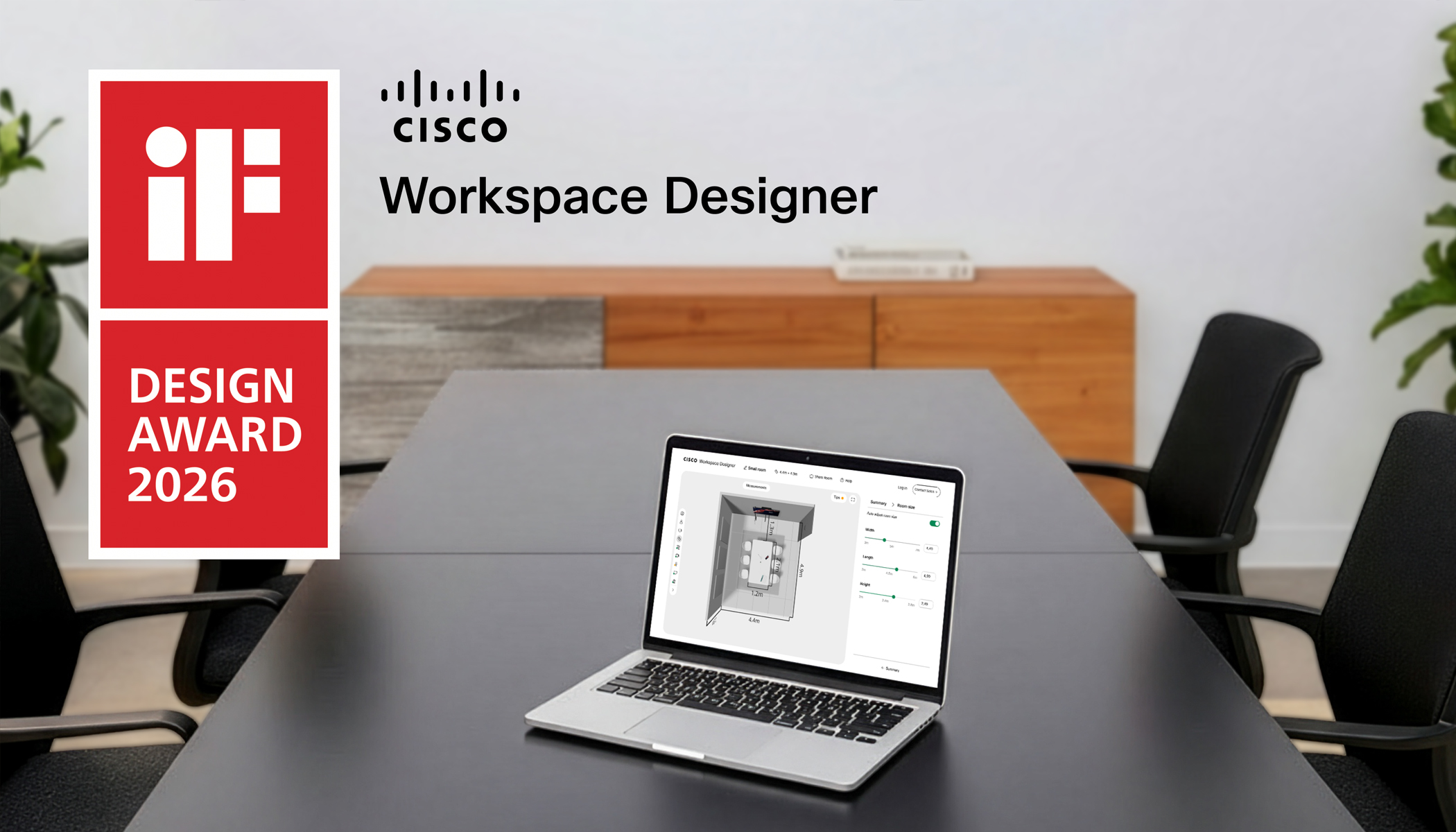
Featured on the show floor at ISE 2026 in Barcelona and Cisco Live EMEA in Amsterdam. Recognized by international design experts for outstanding User Experience (UX) in the 2026 iF Design Awards, the world’s most prestigious recognition within the design community. Named a Finalist in the Best Innovation for AV/Video category in the Best of Enterprise Connect Awards. And praised by AV partners and integrators as the best online tool to speed up planning from concept to technical bill of material, prove return on investment, and showcase the experience before selecting a solution.
Let’s see the latest.
Design amazing rooms with Cisco and verified Samsung Smart Displays
It may sound familiar: your teams spend months planning your meeting rooms, only to discover AV integration issues during rollout. Displays that fail to work with the video system. A lack of support for the right resolutions. Dual screens with mismatched color settings. Refresh rates that create visual lag. ‘No signal’ warnings on the day of installation. And disjointed views of the AV hardware tech stack. A range of issues that often cause workspace refresh project delays and budget overruns.
Well, not anymore.
Announced at ISE 2026, Cisco Workspace Designer is now the first interactive experience to feature Cisco collaboration devices alongside leading Samsung Smart Displays that have been verified to work seamlessly with Cisco video conferencing technology. Using the intuitive interface, you can create 3D visualizations of your meeting spaces and enable them with a combination of Cisco and Samsung meeting room solutions that provide the best experience based on size, use case, and layout.
But why should you consider verified Samsung displays for your Cisco room deployment?
The latest generation of Samsung displays is rigorously tested to be fully compatible with Cisco and automatically self-configures for the best visual quality and optimized color balance when your team enters the room. No need for manual tuning before your next meeting.
Standby modes synchronize to optimize energy consumption and extend the lifetime of your displays. In addition, your IT admins can also eliminate the guesswork with remote access to essential Samsung display information and health status of the connected screens in Control Hub offering complete workspace visibility.
Now let’s start designing.
When configuring a meeting room, boardroom, training room, or other space, you can use the intuitive UI to select from verified Samsung displays—including LCD screens (QMC Series and QHFX Series 115”), a supersized LED wall (The Wall 146” which is the first Cisco-verified LED display solution), and an ultrawide, 21:9 display (QPDX-5K) optimized for immersive layouts on Cisco Rooms or to support the Front Row experience on Microsoft Teams Rooms.
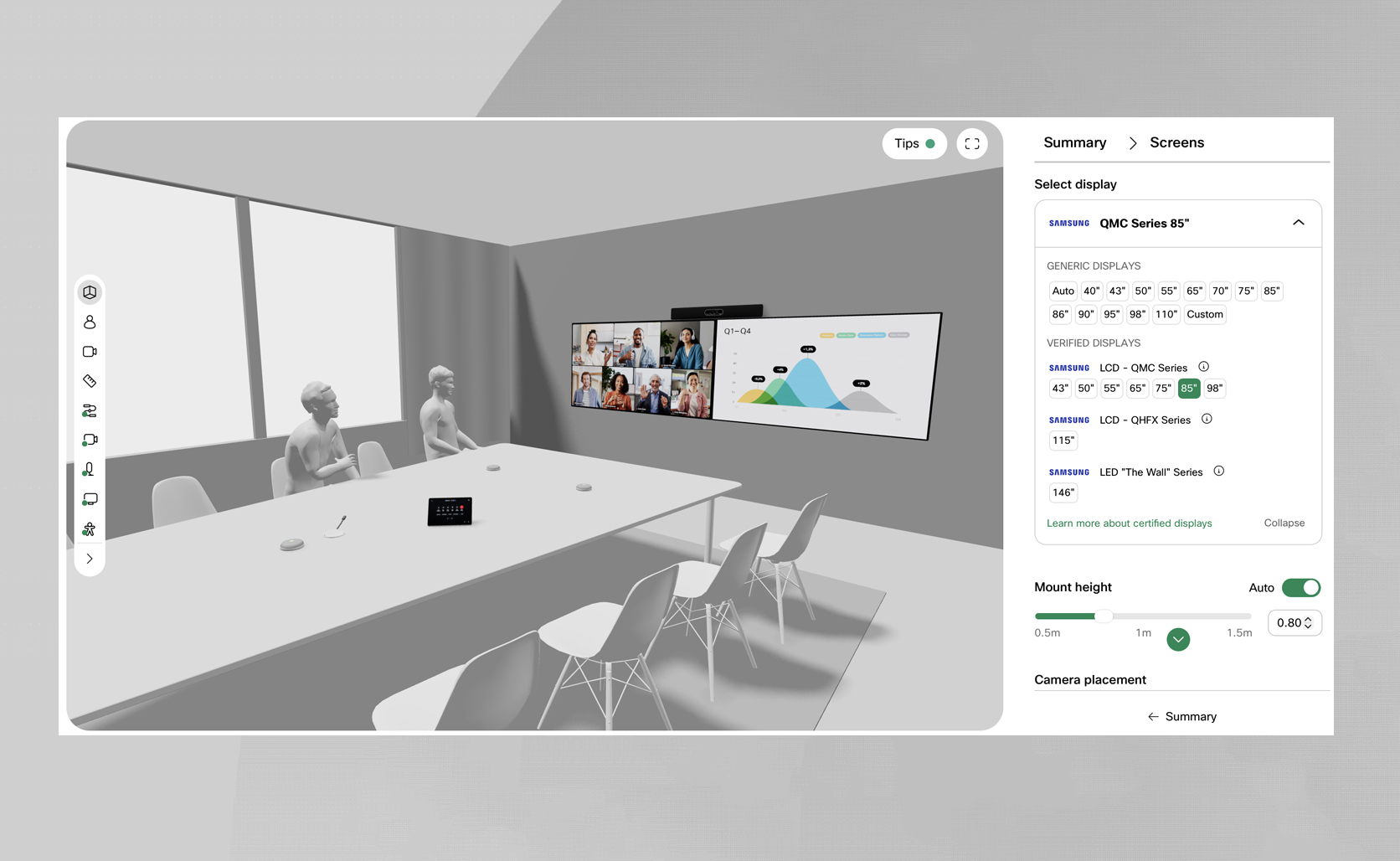
Using the 3D module, you can easily verify display coverage for everyone in the room. Fine-tune size and mounting height. Simulate how that 115” LCD would fit on that boardroom wall. Select the camera setup that’s optimal for your display size, no matter if it’s an everyday meeting room or an ultra-immersive boardroom. And simulate how it will feel to be in the room when showing remote participants and content on the Samsung monitors.
When ready with your design, just generate and share your blueprint with ease from Workspace Designer with a full list of the Cisco and Samsung equipment you’ll need for the deployment. No second guessing, no delays, just seamless deployment.
Equip your large and advanced spaces with Room Kit Pro G2
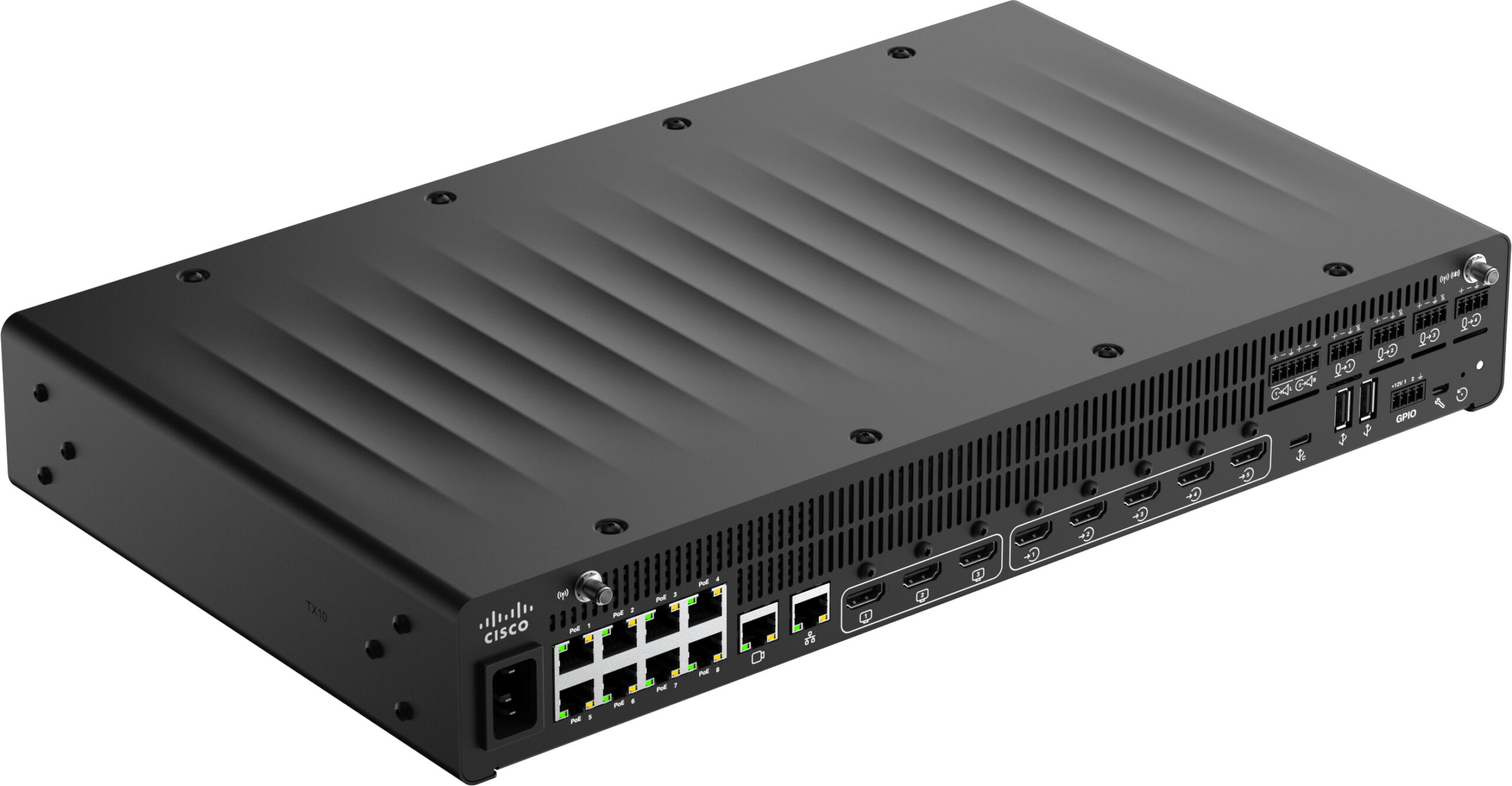
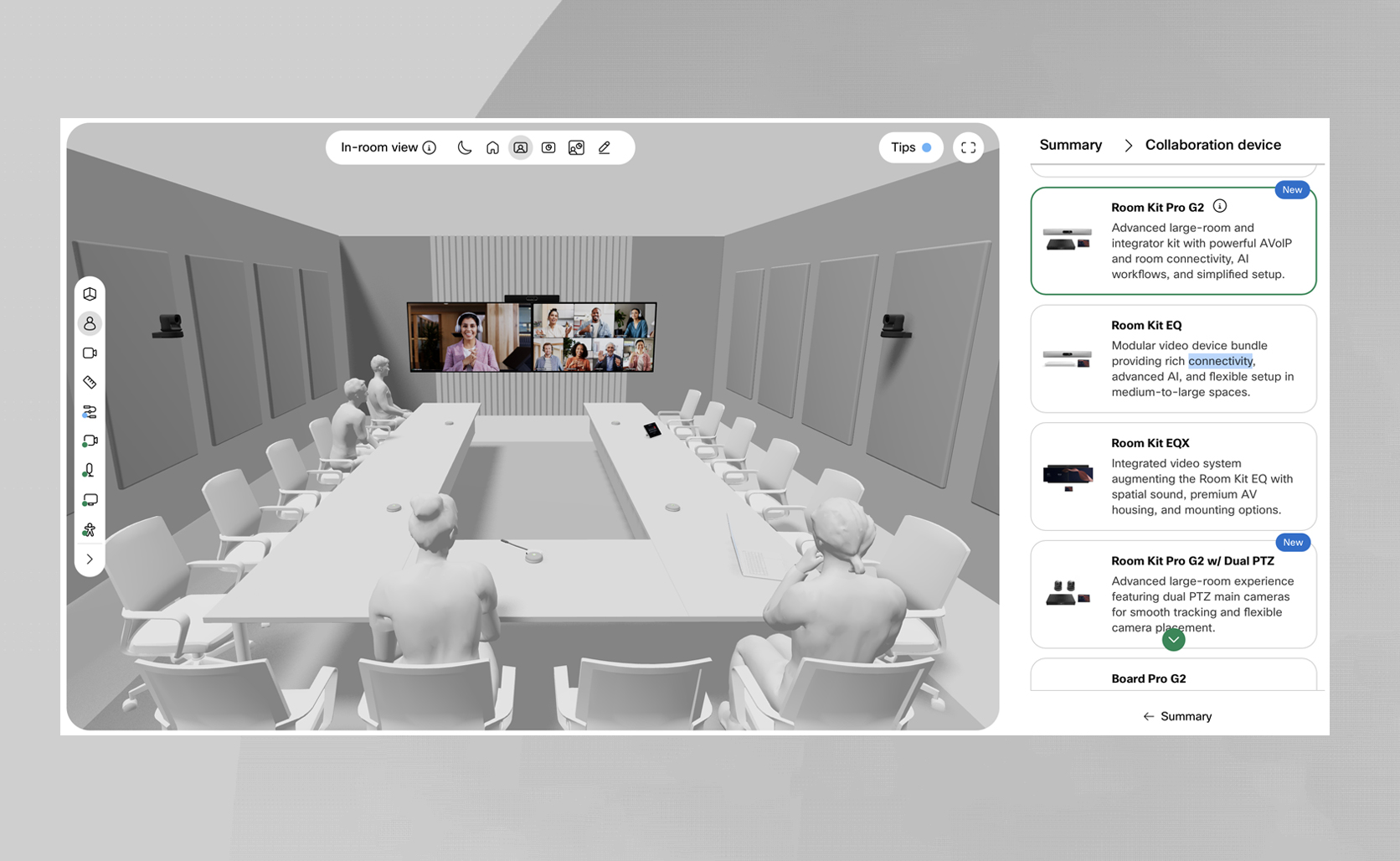
With the introduction of Cisco Room Kit Pro G2 as a new video device option, you can design large high-impact spaces that come with a simplified, AVoIP-first architecture that easily scales, and create experiences that feel cinematic and seamless instead of custom-programmed. The first tangible difference you’ll see when selecting the new solution is that it can power and orchestrate a broader AVoIP accessory ecosystem than any previous offering.
Design a room like the one below with more IP cameras, microphones, touch controllers, and other peripherals than before, without the need for a network switch or third-party equipment, and with less cabling—you can see it all on the real-time cable map. Or add a Cisco Catalyst 9200CX switch powered via the 10G Ethernet port on the Codec Pro G2 and solve even the most challenging AV deployments.
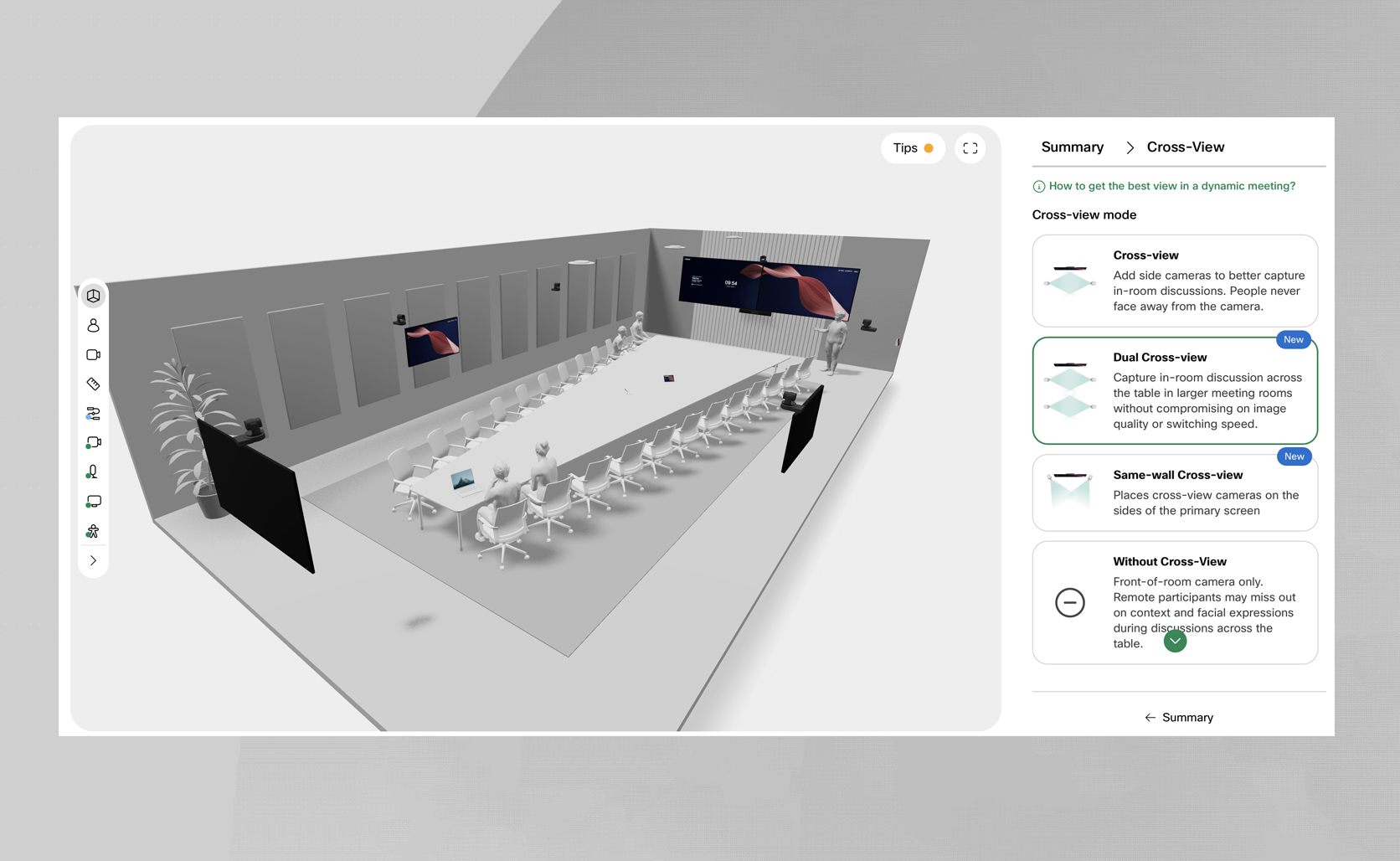
In addition, Room Kit Pro G2 brings more flexibility to scale multi-camera cross-view to the longest conference and executive boardrooms. Beyond placing two PTZ tracking cameras on the sidewalls or the main wall, you can now select ‘Dual cross-view’ with four side PTZ cameras to capture in-room discussions happening across the table without losing sight of the active speaker or missing non-verbal cues to support clarity and equity for every interaction.
Reimagine huddle and desk spaces with Desk Pro G2
Workspace Designer now helps you design huddle and individual desk spaces with the new Cisco Desk Pro G2, offering the ultimate, all-in-one video conferencing solution that only takes minutes to set up. When configuring a huddle room, by default you’ll be presented with the new generation of our tabletop collaboration display as the default device placed on a space-efficient, equity-centric huddle room table.
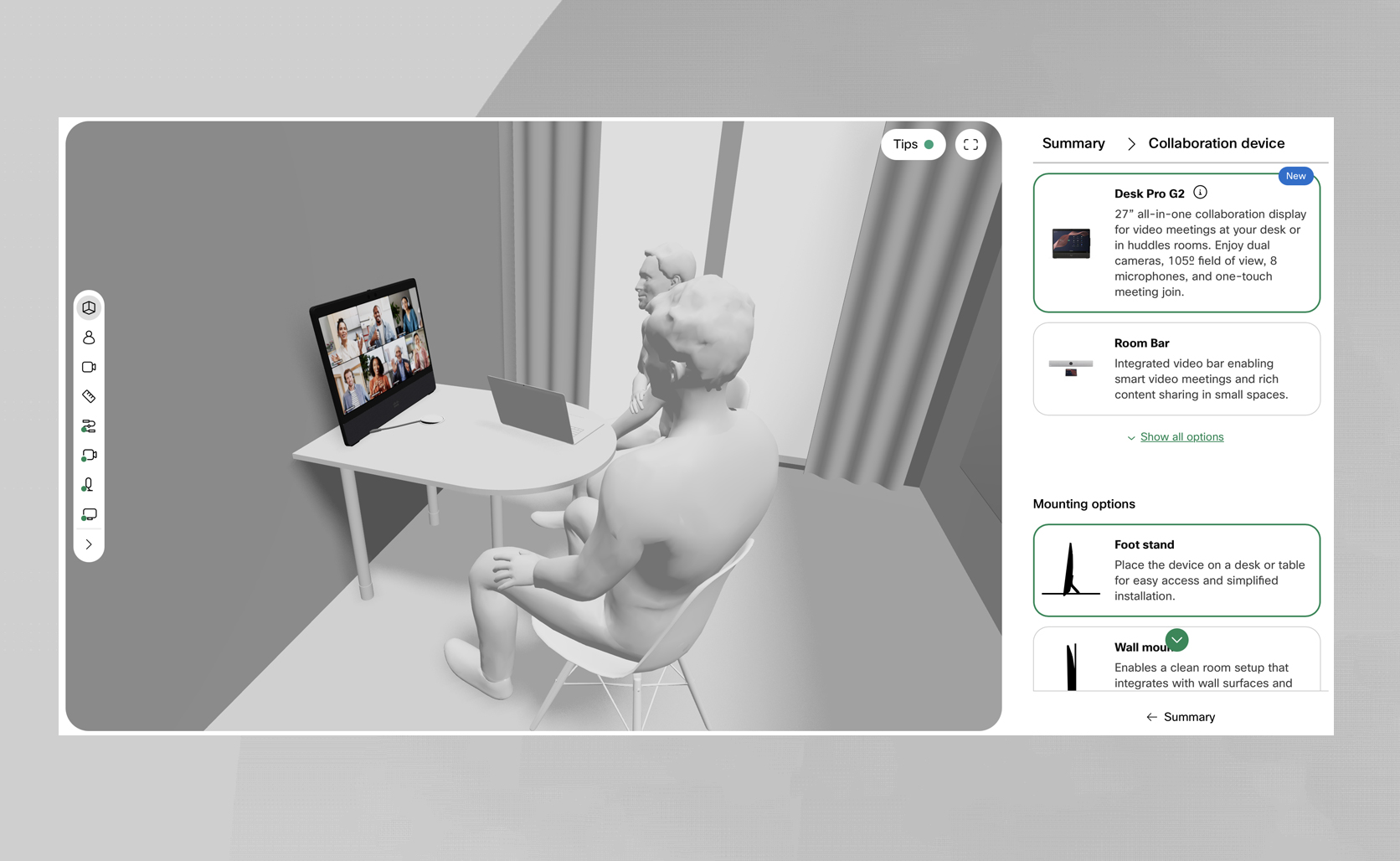
Want to verify camera coverage? Use the camera overlay to see if participants stay within the 105o horizontal field-of-view of the device. Prefer to free up space on the table? You can select the VESA mount option that integrates seamlessly with wall surfaces. Or want to have a standalone touch controller on the table? Just add a Room Navigator, and you’re ready with the design. Give it a try. And design dedicated desks, executive offices, government office workstations, focus rooms, and open desk areas with an all-in-one stage for moments that matter.
Choose the new multi-camera tracking experience
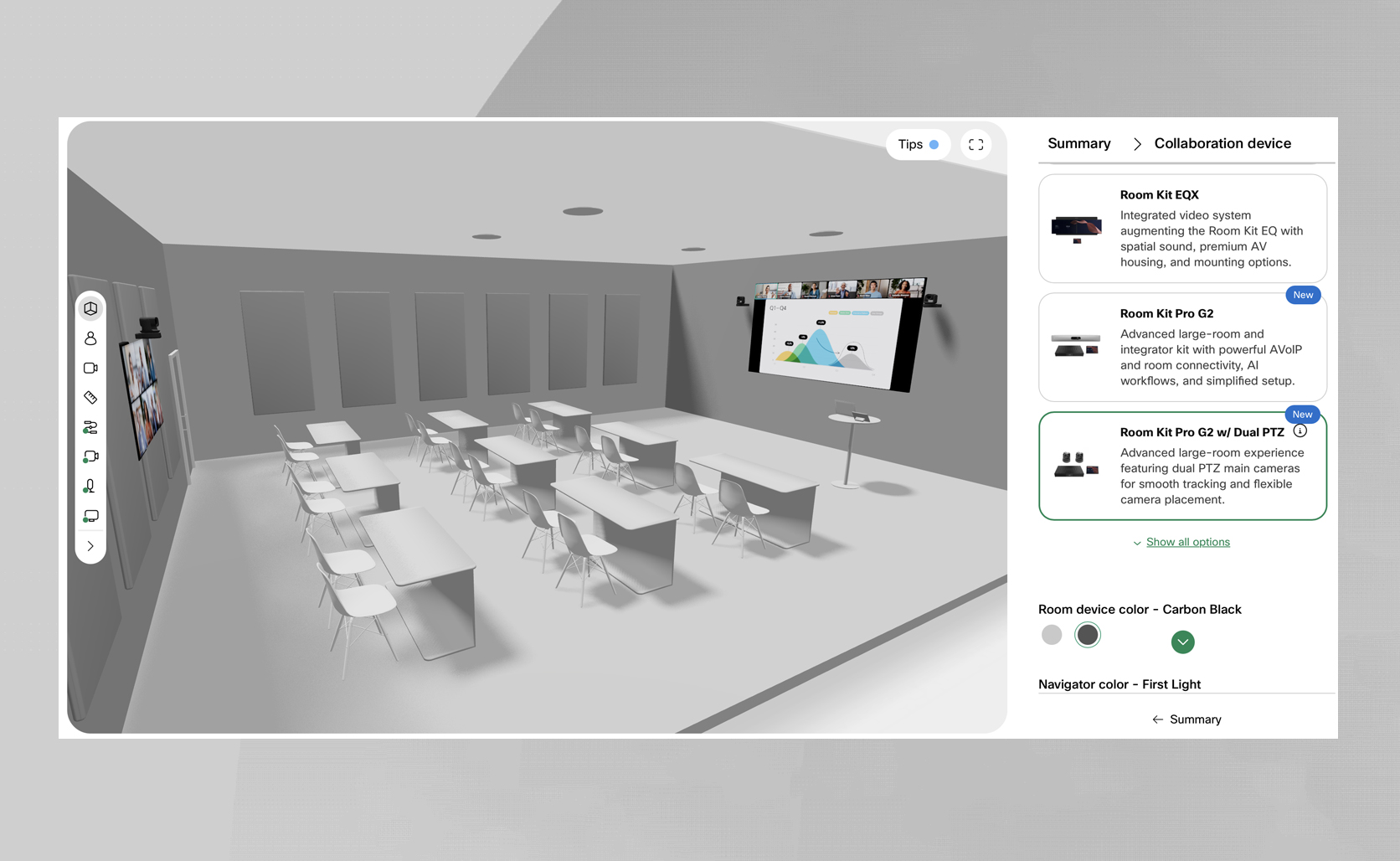
Have you ever struggled to design an optimal camera placement for ultra-large-format display setups? Now you’re covered. The new Cisco Room Kit Pro G2 supports a dual Room Vision PTZ camera deployment on the main wall, offering an optimal scenario for boardrooms, briefing spaces, training rooms or auditoriums requiring flexible camera placement or equipped with supersized screens, such as the Samsung All-in-One 146” LED video wall.
By selecting the ‘Room Kit Pro G2 + Dual PTZ’ experience from the available device options, the two tracking cameras are automatically placed at an optimal height to maintain a natural view of in-room participants.
Turn design wireframes into high-impact, photorealistic renderings
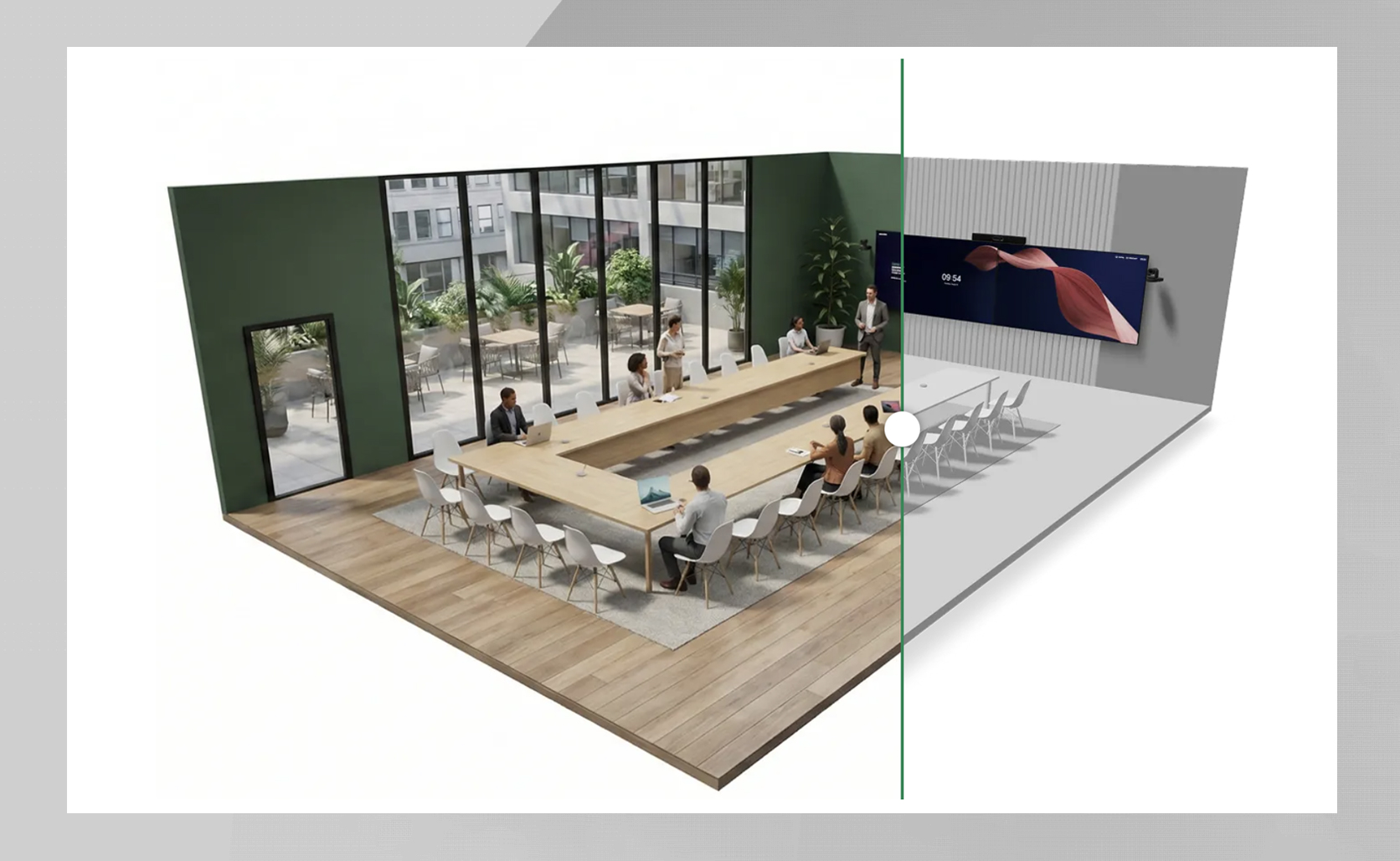
Do your exported configurations need an extra visual punch to gain buy-in from outside IT, showcase a room design to a client, or pitch design requirements to external consultants? What if you could match the aesthetic of an existing workspace location? Now you can take any wireframe design generated in Workspace Designer and use our AI prompts in your go-to generative AI tools like Google Gemini to render it as a photorealistic, engaging visual to make the most of your next customer presentation or when sharing technology preferences with other departments.
Just hit ‘Photorealistic renders’ in the ‘Resources’ menu of the header navigation to access visual examples and guidance you can copy and embed into your workflows today. Watch this interview to learn more.
Bring seamless BYOD-only conferencing to small, shared spaces
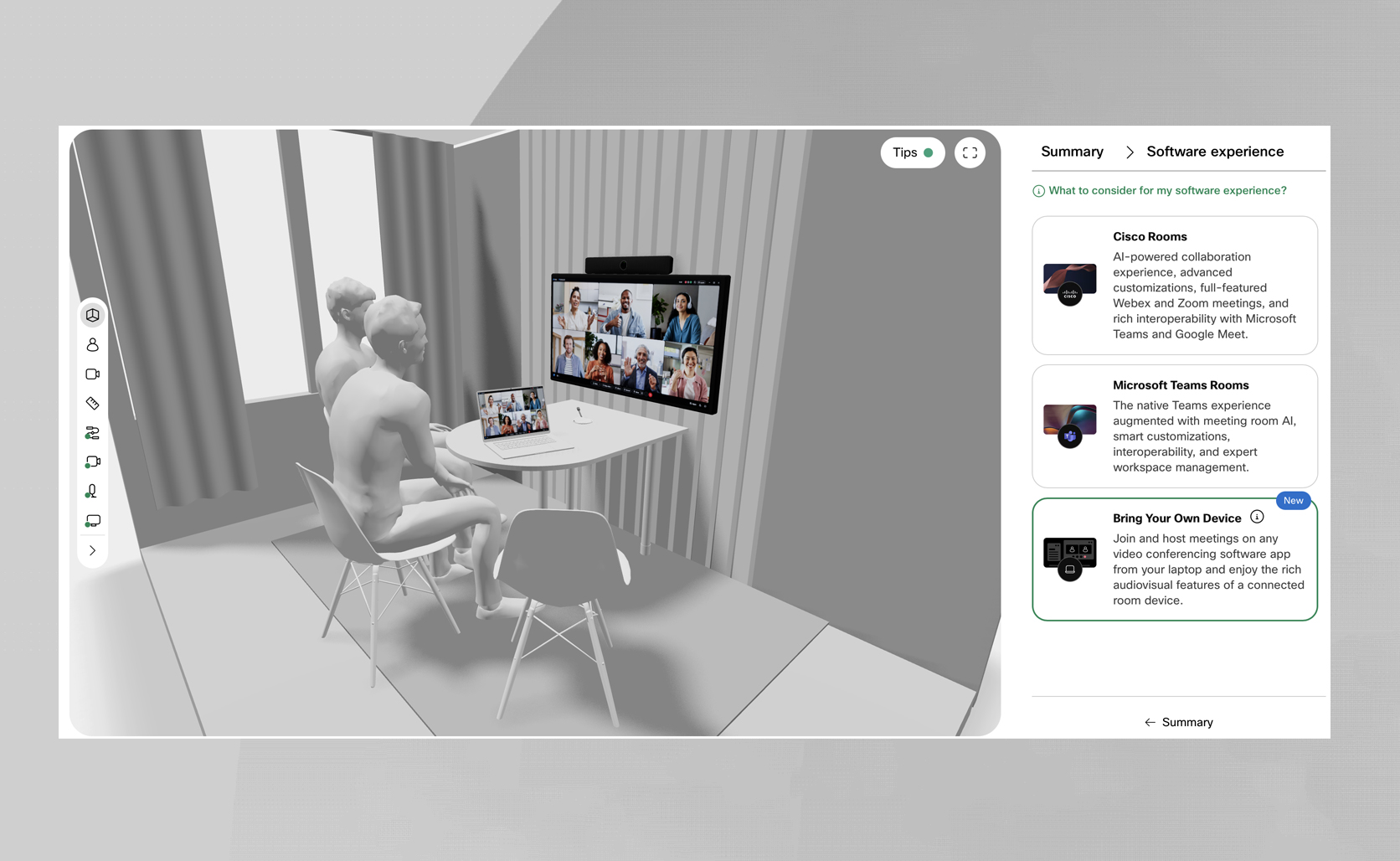
As a new software deployment model in Workspace Designer, you can also design huddle rooms and small meeting rooms for scalable, bring-your-own-device-only video conferencing where users can plug in their laptop via USB-C and enjoy rich audiovisual features from Room Bar BYOD. Just select ‘Bring Your Own Device’ in the software experience step of the configuration flow to visualize a room deployment where users can join and host meetings on any video meeting software client.
Customize walls and doors to simulate real-life deployments
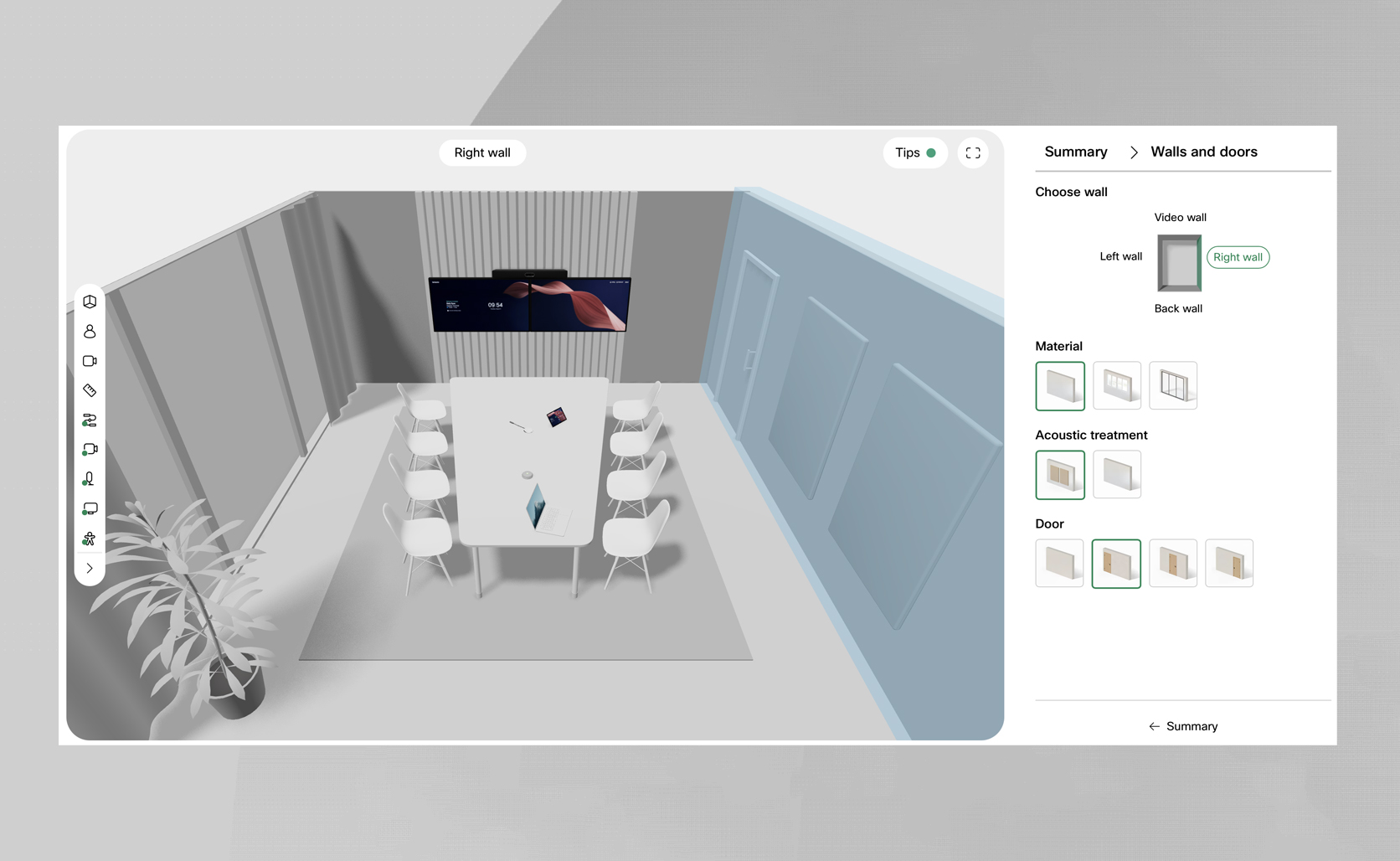
Replicating the small nuances of your room deployment is often critical as those may impact the technology choices and AV installation approaches. Is there a door to take into account for easy circulation and accessibility in the room? Acoustic treatment on the wall that may impact the acoustic coverage? Or a glass wall to consider when planning a multi-camera experience?
With Workspace Designer, you can design smart and deploy without the headache. In the ‘Walls and doors’ step accessible from the Summary view, you can define the type of walls, place the door at the correct spot, and apply acoustic panels to simulate your existing or planned spaces.
About The Author