Reliable voice communication and video isn’t optional—it’s mission critical. Organizations need a powerful, scalable calling platform that delivers without compromise. And while Microsoft Teams delivers multiple facets of collaboration, Teams Phone still falls short of the enterprise-grade calling experience today’s businesses demand.
Cisco Call for Government for Microsoft Teams bridges this gap. It delivers the full Webex Calling experience or Cisco UCM (Unified Communications Manager) experience with proven 99.999% availability, AI-powered features, the most comprehensive enterprise calling feature-set, and seamless cloud migrations – all in a powerful cloud calling solution backed by 20+ years of Cisco market leadership.
Same familiar Calling workflow for our users integrated with Microsoft Teams
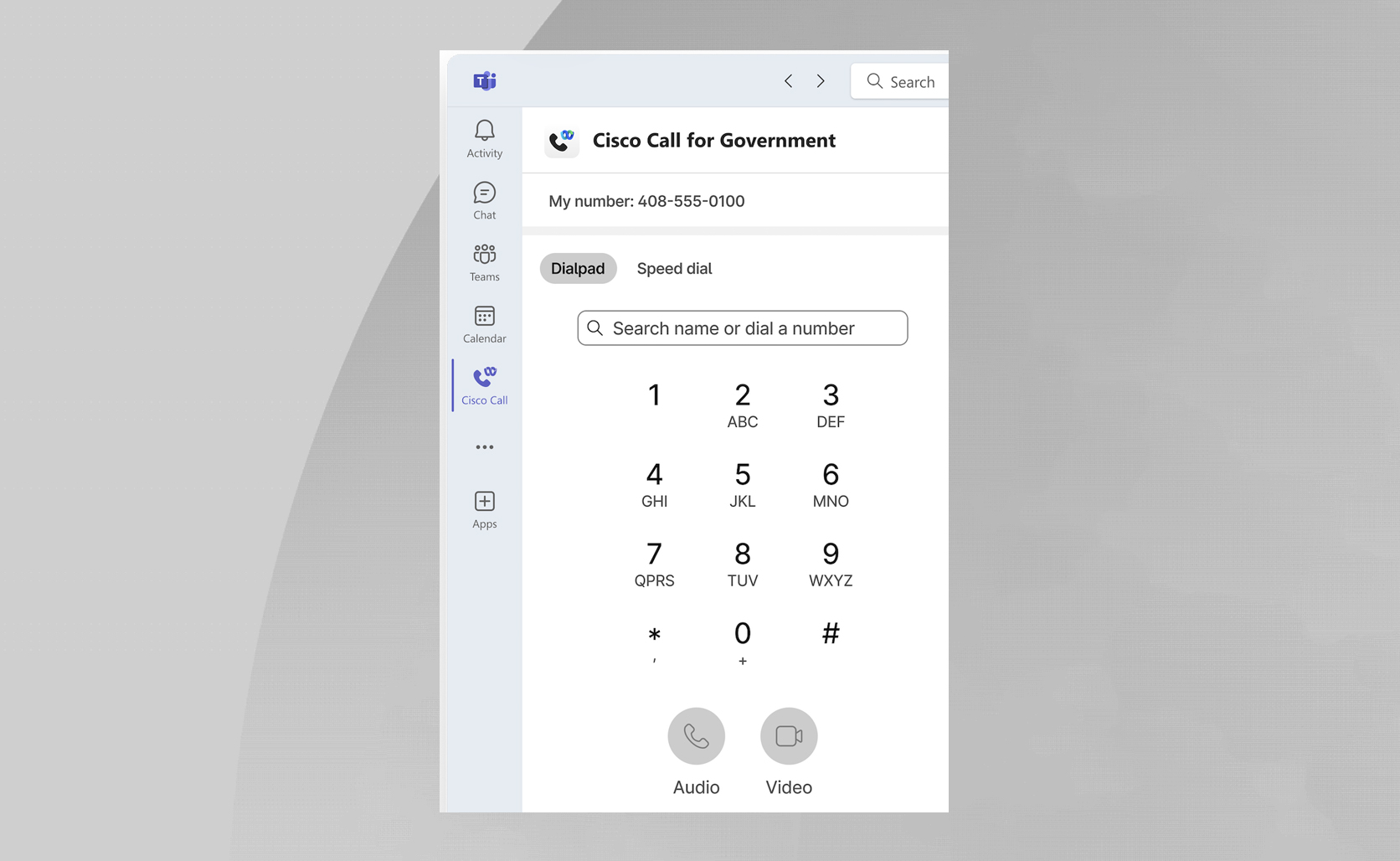
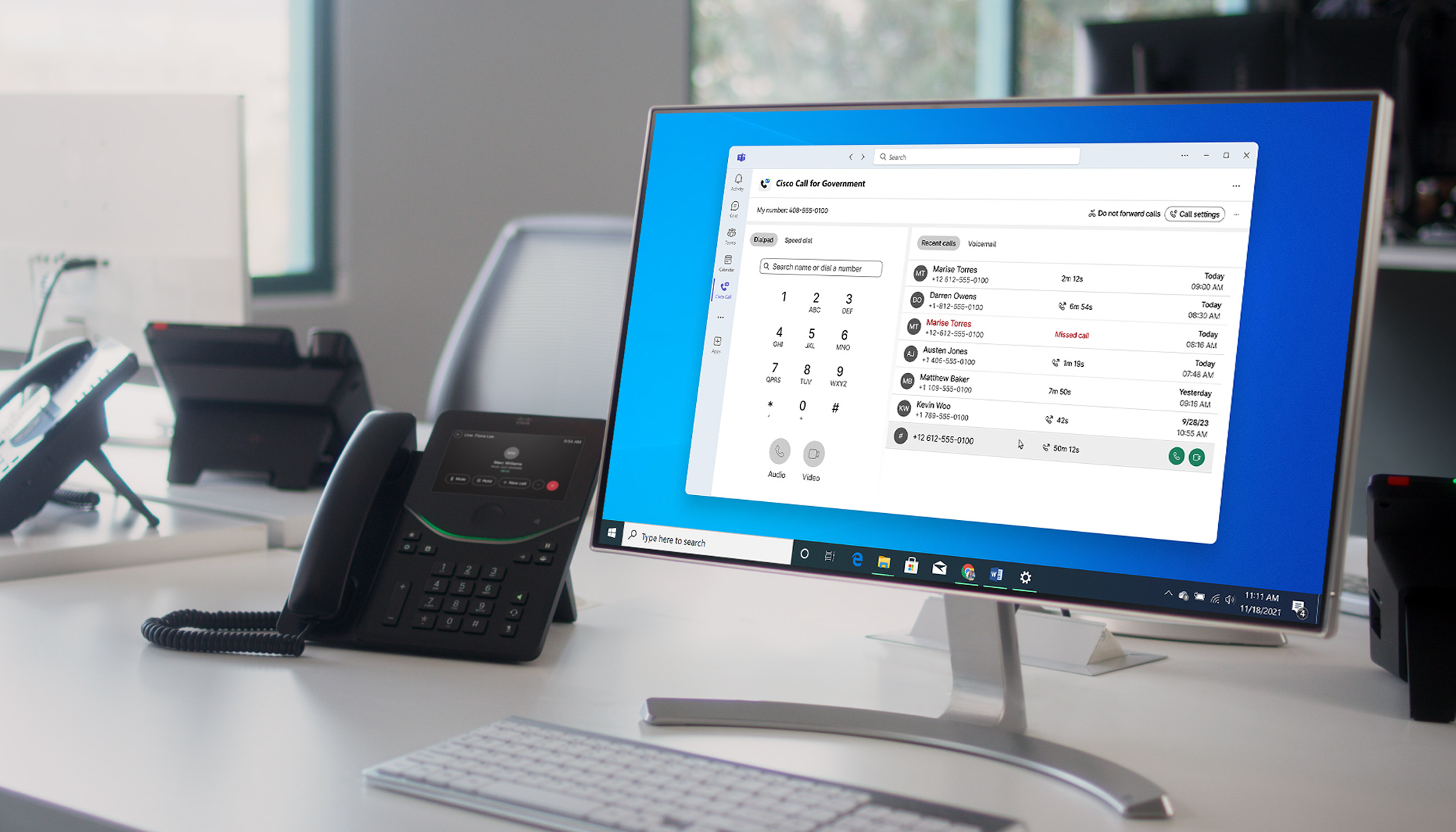
Cisco Call for Government is a proven, cloud based, enterprise-grade, and full featured calling integration for MS Teams that brings with it Cisco’s cloud and premise call processing capabilities. This integration results in a familiar calling workflow that includes the ability to integrate devices without the need to switch between applications. The workflow created by the Cisco Call for Government app ensures a user experience that allows for focus on work versus deciphering which app is to be used. Cisco Call for Government is seamlessly integrated into the Teams sidebar, allowing users to log in with their existing credentials for a frictionless experience. It syncs presence status between Teams and Webex Calling or if you’re on-premises, Teams and Cisco UCM, so colleagues always know when you’re on a call or in a meeting. Bi-directional sync ensures smooth collaboration by automatically muting Webex calls when you are in a Teams meeting. Additionally, setting your Cisco desk phone to Do Not Disturb (DND) will automatically update your Teams status to DND as well. No more clutter displayed on your desktop – just the experience of using the solution through the power of the integration with Microsoft Teams. When placing a call, the Webex App does not pop up, giving users a native look and feel to calling solution. There’s no branding to lead customers to think they’re going to a different environment.
Webex for Government advantages: All the calling features you need in a single, unified experience
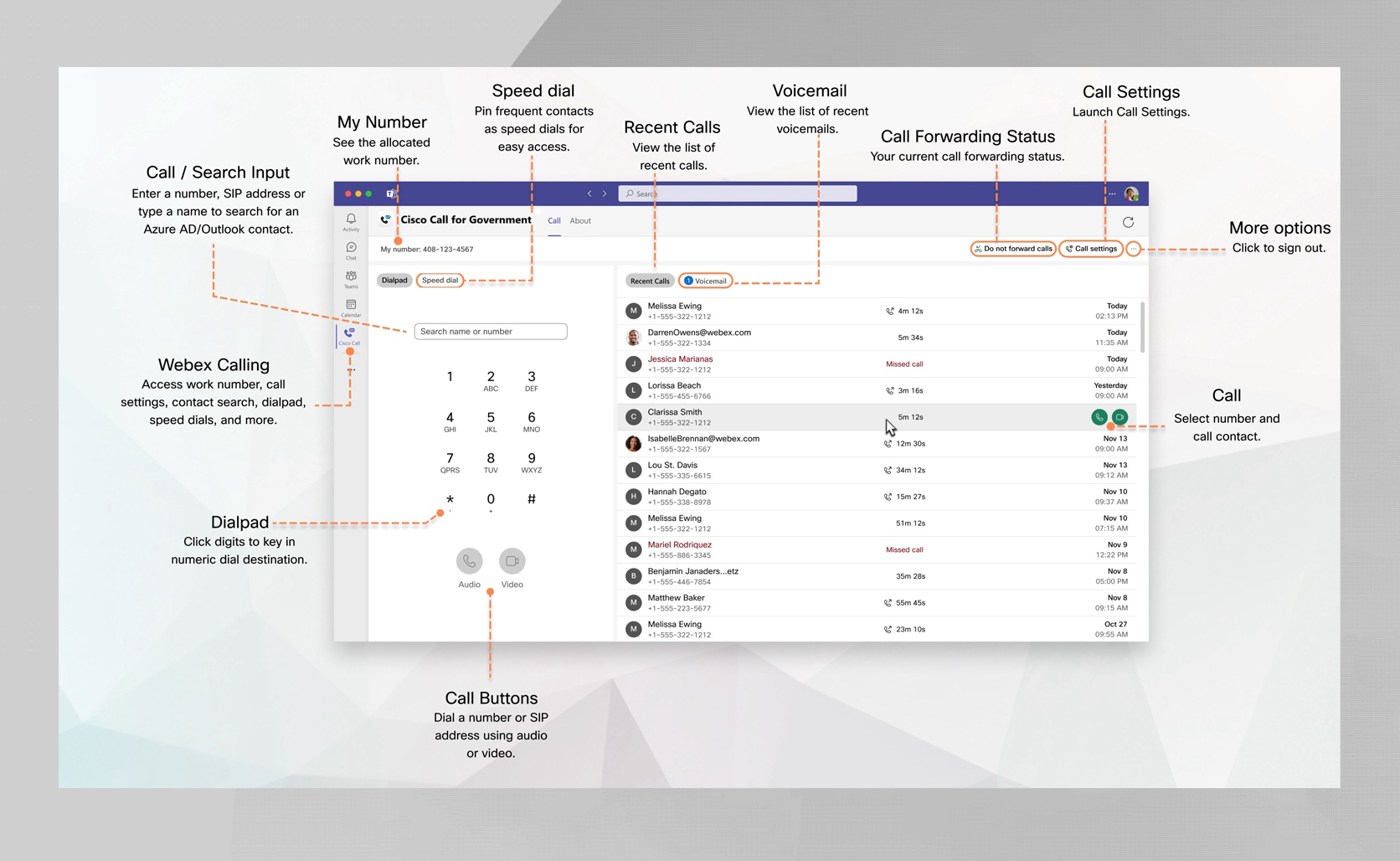
At Cisco, we are committed to providing US public sector and federal government customers with the commercially available Webex solution they know and trust along with the added security and certification of FedRAMP authorization. With our Webex for Government platform, your agency gets a robust, industry-leading, cloud based calling solution that adheres to stringent federal security requirements. Cisco Call for Government for Microsoft Teams puts all the calling features your users need right inside Teams. With an intuitive dial pad, directory search, recent calls, and voicemail transcription, users can communicate effortlessly. We’ve continued to improve this experience with new built-in security and compliance features, including E911 calls and call recording which help businesses stay compliant while protecting the safety of employees. For Cisco UCM to Microsoft Teams users, the optional voicemail transcription and call recording is not available in this integration and will continue to be available through existing services.
Advanced Calling Features You Won’t Find in Teams
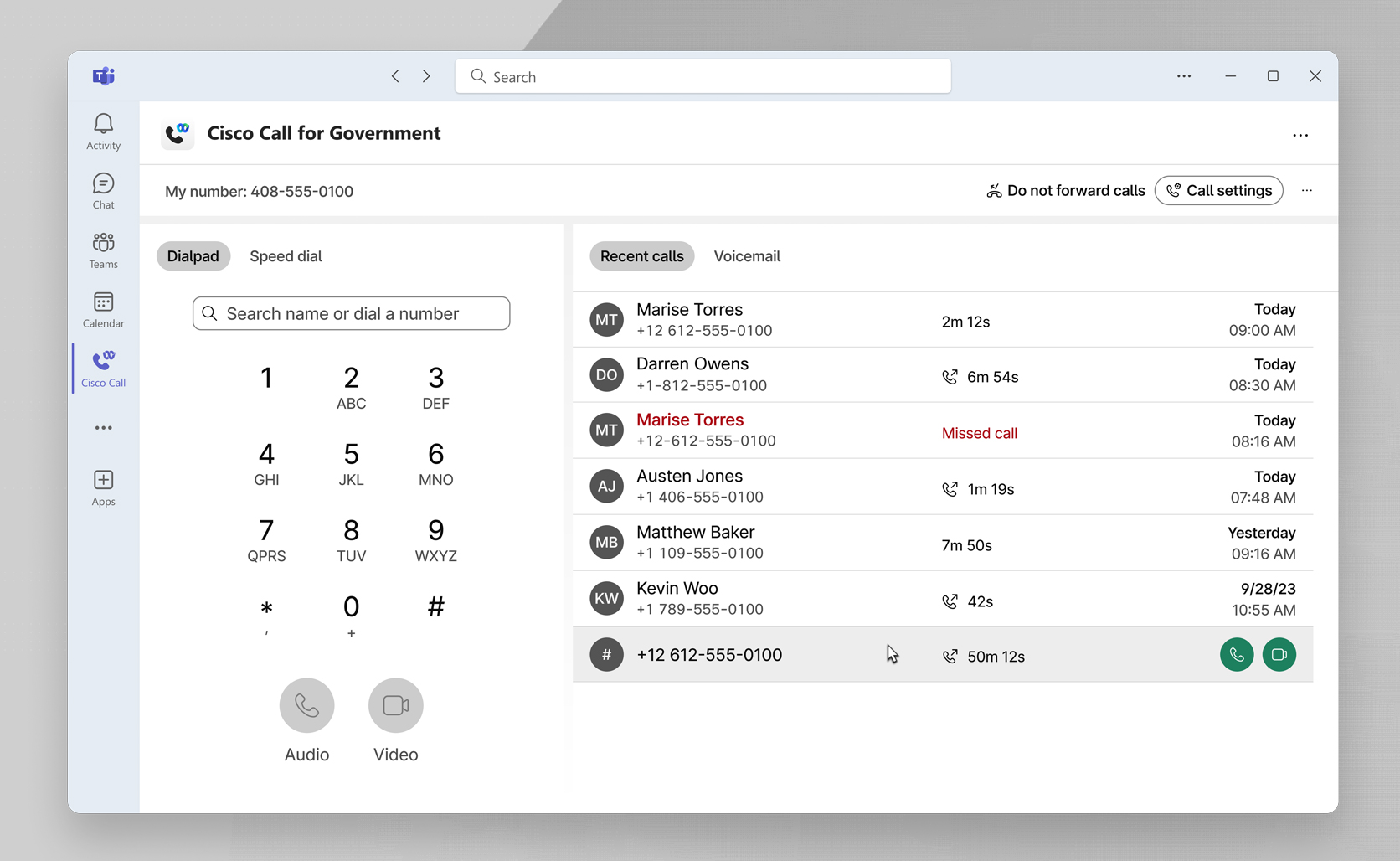
Cisco Call for Government for Microsoft Teams goes beyond native Teams functionality, giving users the advanced tools they need to stay productive. With the multi-call window, managing multiple calls across different lines and queues is effortless—all within a compact, intuitive interface. Teams users will now have the ability to have multiple lines and instantly access the multi call window from the calling dock, which can be placed anywhere on their desktop for quick call handling. Designed for power users who handle high call volumes, these features ensure efficiency without cluttering their workflow.
Bridging the gap between UCaaS and CCaaS: A complete customer assistance solution
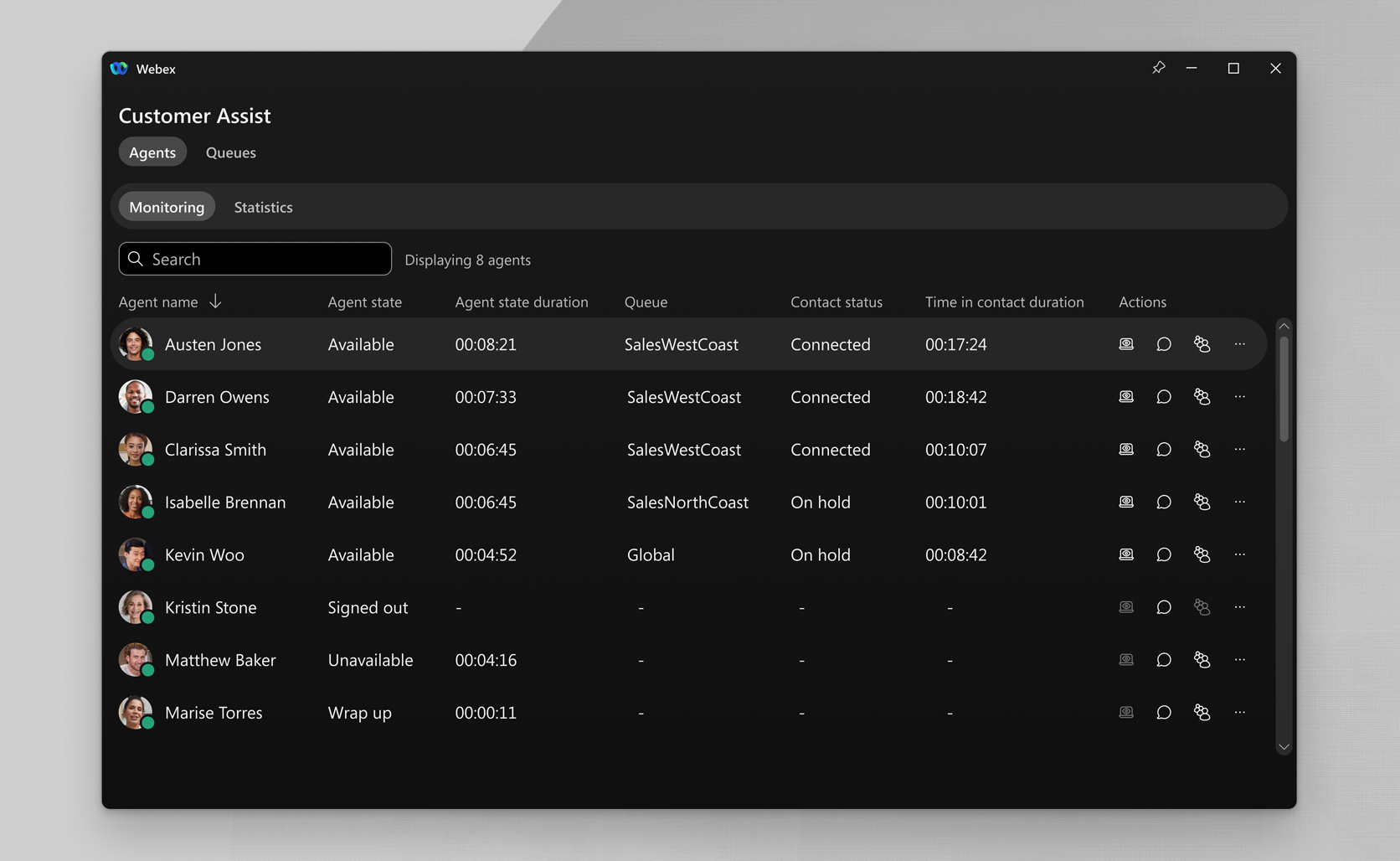
Cisco Call for Government for Microsoft Teams transforms Teams into a powerful customer interaction hub with Webex Calling Customer Assist. This new feature is accessible directly from the Cisco Call for Government landing page, and gives agents access to real-time queue monitoring, and intuitive call management tools. Supervisors gain deep insights with agent monitoring, queue analytics, and call sentiment. These capabilities bring enterprise-grade customer assistance tools right into Teams, delivering unmatched value without the full cost of a dedicated contact center.
Webex for Government – Collaboration Flex 3.0 offer: AI capabilities included
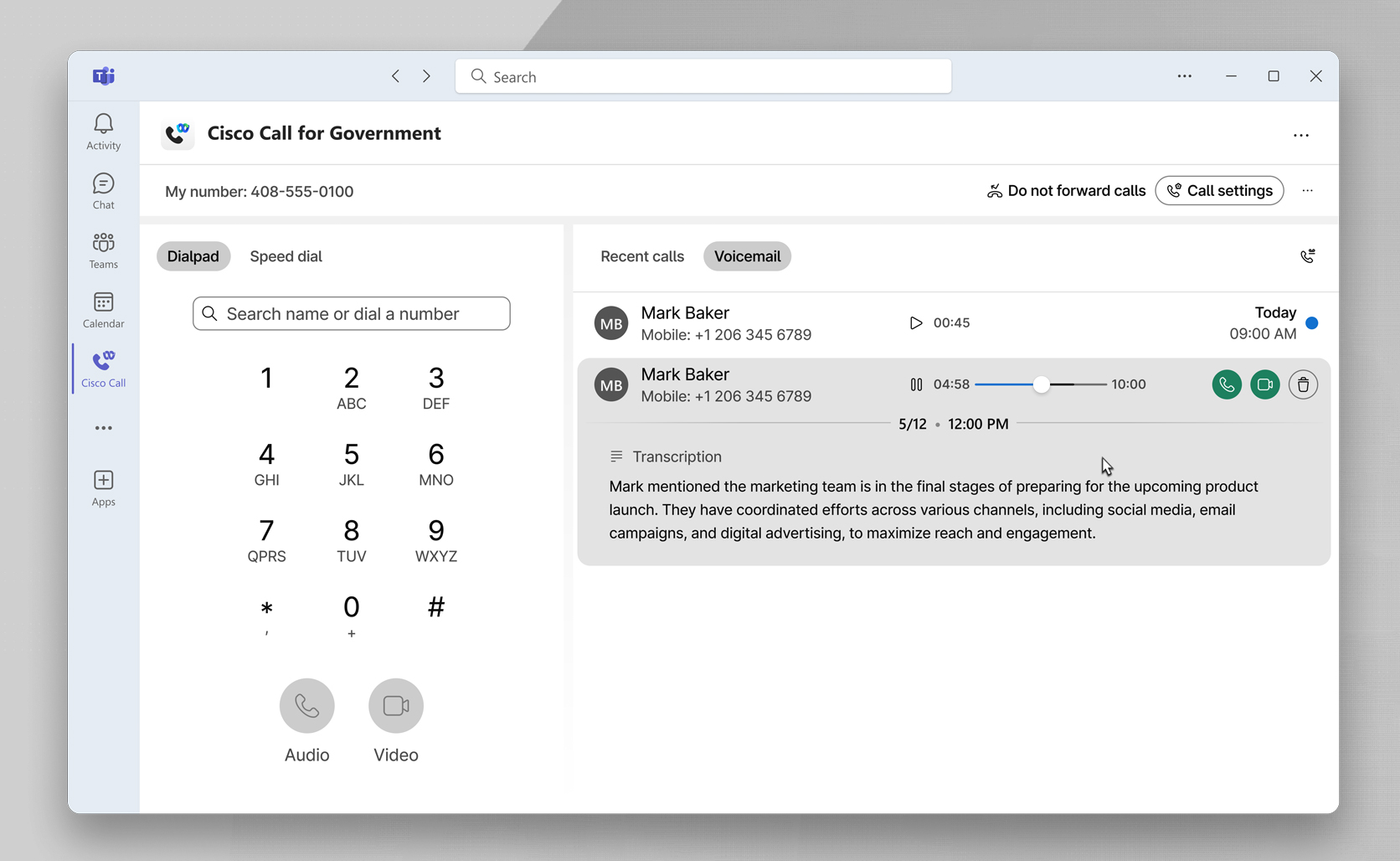
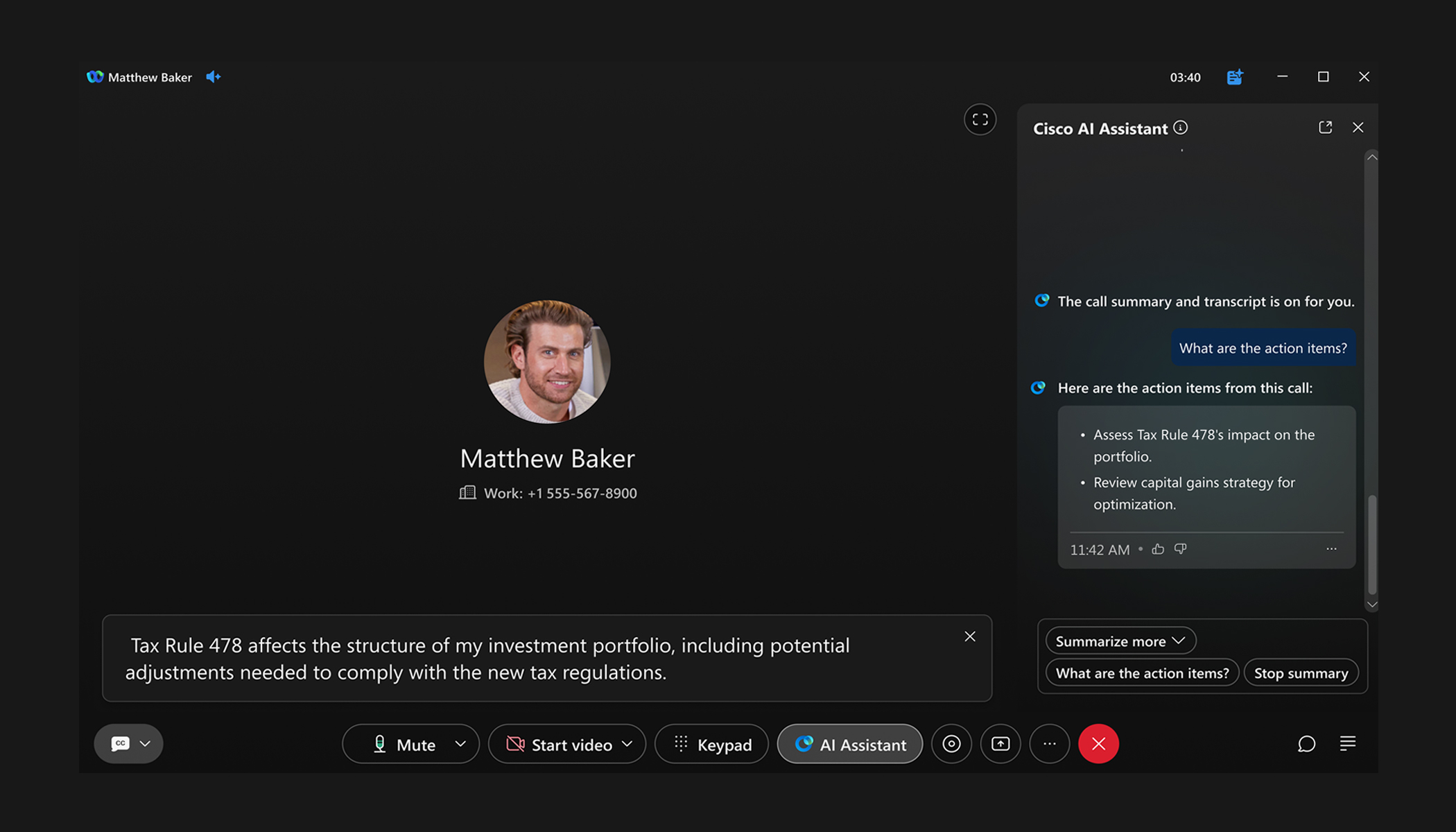
Cisco Call for Government for Microsoft Teams brings modern AI-enabled calling features powered from Webex Calling directly to Teams users—without any extra cost. We’re excited to announce that AI-generated closed captions, transcriptions, and translations, are coming soon to Teams. These features enhance inclusivity, improve clarity, and ensure users never miss a key detail in their conversations.
Teams users also get access to Webex’s industry-leading Audio Intelligence tools, including background noise removal and HD Voice, and the Webex AI Codec for crystal-clear voice quality, even in challenging network environments. We include these powerful features at no additional cost with your Webex Calling Professional license—because innovation shouldn’t come with hidden fees.
Migrate to Cloud at your own pace
Cloud-hosted calling and on-prem calling can be implemented simultaneously so that you can deploy your migration plan at your pace or retain on-prem calling when cloud access is not available. Cisco Call for Government for Microsoft Teams is a key piece of your premises-to-cloud calling strategy, ensuring a seamless migration without disrupting your users. Whichever plan you choose, the calling experience is the same across all devices, desk phones, computers, or mobile phones.
Learn more:
Secure Collaboration – Webex for Government
Webex for Government Calling
Cisco Call for Government for Microsoft Teams
About The Author