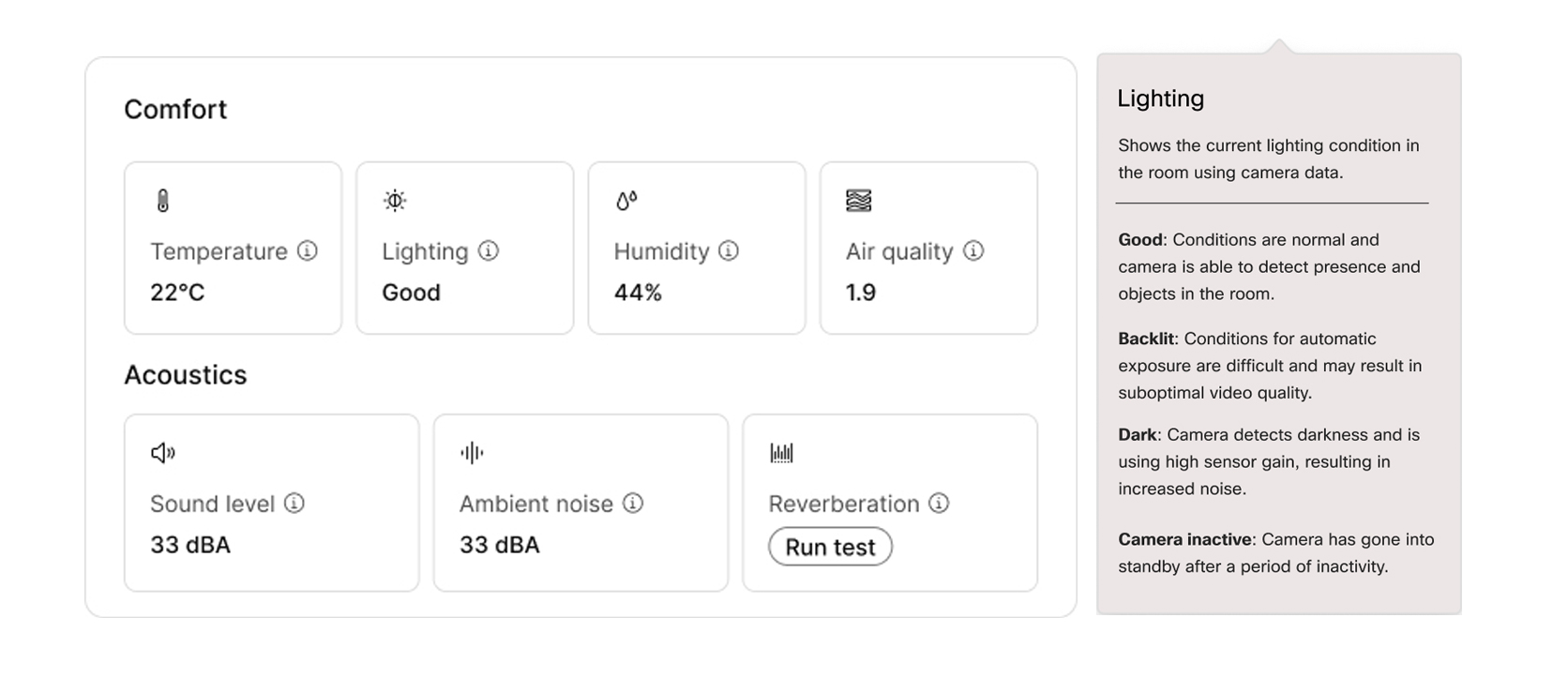
Cisco collaboration devices already sense the space for example the temperature, humidity, or even sound and occupancy data tells you a room was used, but it doesn’t tell you whether the experience was working or quietly working against you. Light Condition Insight offers yet another room feedback metric into Control Hub, so admins see whether lighting is Good, Dark, or Backlit in real time, bringing a more holistic view of the room experience.
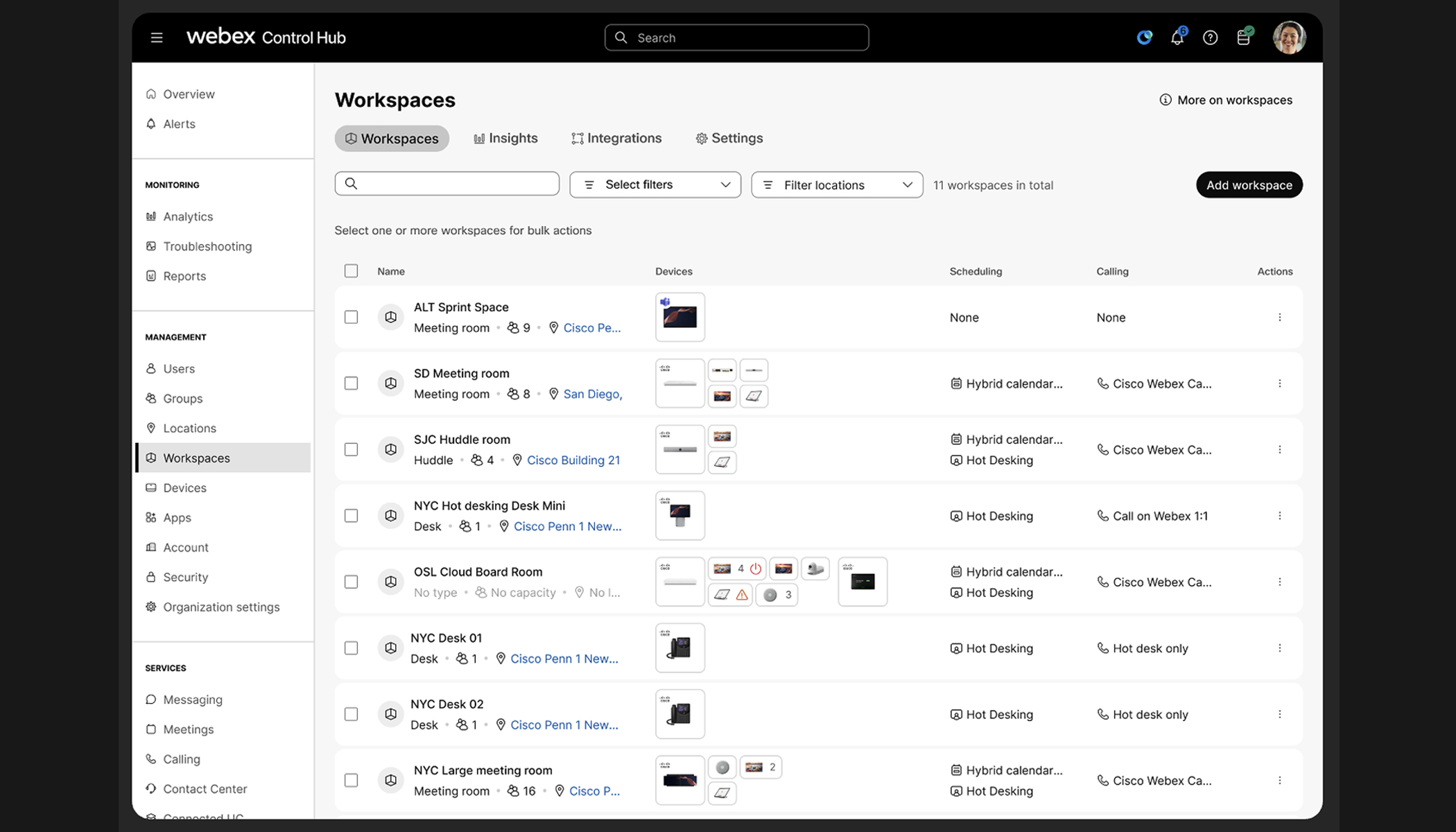
Collaboration breaks when the room looks wrong on camera or feels wrong in person. Facilities might not be on site, and IT still owns the outcome. The Light Condition Insight closes the gap by surfacing in-room lighting context for the individual workspaces in Control Hub. Yet another point where admins can treat collaboration endpoints as workplace infrastructure, not mystery boxes.
Open the workspace view, find the lighting insight card and read the current condition:
Building costs (real estate + operations)
Every square foot is a budget line. When rooms underperform and people are hard to see on video with harsh backlighting, the workforce will book elsewhere, meet for shorter periods, or just pile into fewer “good” rooms. That shows up as underused capacity in expensive buildings, not as a “video quality” ticket. Light Condition Insight helps admins validate that collaboration spaces earn their footprint; is this room actually pleasant and functional or is it empty for reasons that sensor counts or scheduling data alone won’t explain?
Operationally, organizations will have fewer of those mystery incidents. This means fewer reactive site visits and less time reconciling subjective complaints of “…it always looks bad on Mondays at 2:00 p.m.” giving an objective room state, a practical lever on facilities and IT run cost, alongside capital tied up in space.
Occupancy: lighting as a companion signal
Occupancy metrics tell you whether a space was used. Lighting condition helps explain whether the experience may have been working against adoption; for example, backlighting where it creates a high contrast between the background and the people on camera, where the face looks too dark while the background look “correct.” This punishes participants where their faces aren’t seen well, or even dark conditions that make in-room interaction hard to gauge. Together, occupancy and lighting, support better decisions for deployment rationalization, room standards, targeted refreshes (layout, shading, lighting), and healthier booking behavior, so utilization reflects true demand, not avoidance of bad rooms.
Real estate is expensive and empty rooms are costly signals. Yet, occupancy metrics mainly answer how often spaces are used, while lighting condition helps explain whether meeting quality may be working against or with adoption. Spaces don’t just need to be booked, they need to work. Together, occupancy patterns plus real-time lighting context give IT and workplace teams a clearer view of why the estate behaves the way it does, so you can protect building ROI, tighten standards, and spend facilities and AV cycles where the data says it matters.
The room is live. Your admin console should be too.
About The Author