Work happens everywhere: at a desk, on the go, and every place in between. As the way we work keeps evolving, people need collaboration experiences that keep up with them. The best collaboration is the kind you barely notice: no settings to wrestle with, no details to manage, just a great experience.
That’s the idea behind Webex on iPhone Duo.
At Cisco, we have a long history of partnering with Apple to bring thoughtfully designed collaboration experiences to the devices people use every day. From iPad, CarPlay, Apple TV, and Apple Watch to spatial collaboration on Apple Vision Pro, each platform has challenged us to rethink how to help people connect and get work done seamlessly.
With iPhone Duo, we embraced the challenge of delivering an immersive and intuitive collaboration experience for a device that moves effortlessly from the outer display to an expansive canvas. I am excited to share that Webex on iPhone Duo is available in the App Store today.
A Webex Experience Designed for iPhone Duo
A device like iPhone Duo calls for more than adapting an app to a larger screen. We designed the Webex experience around how people use it: open or closed, in portrait or landscape, and alongside other apps as the day unfolds.
Webex is built natively for iPhone Duo and adapts to both displays and every position. Open the device to see more meeting participants, keep shared content in view, or work together on a whiteboard. Prefer to multitask? Use Webex alongside another app with Split View.
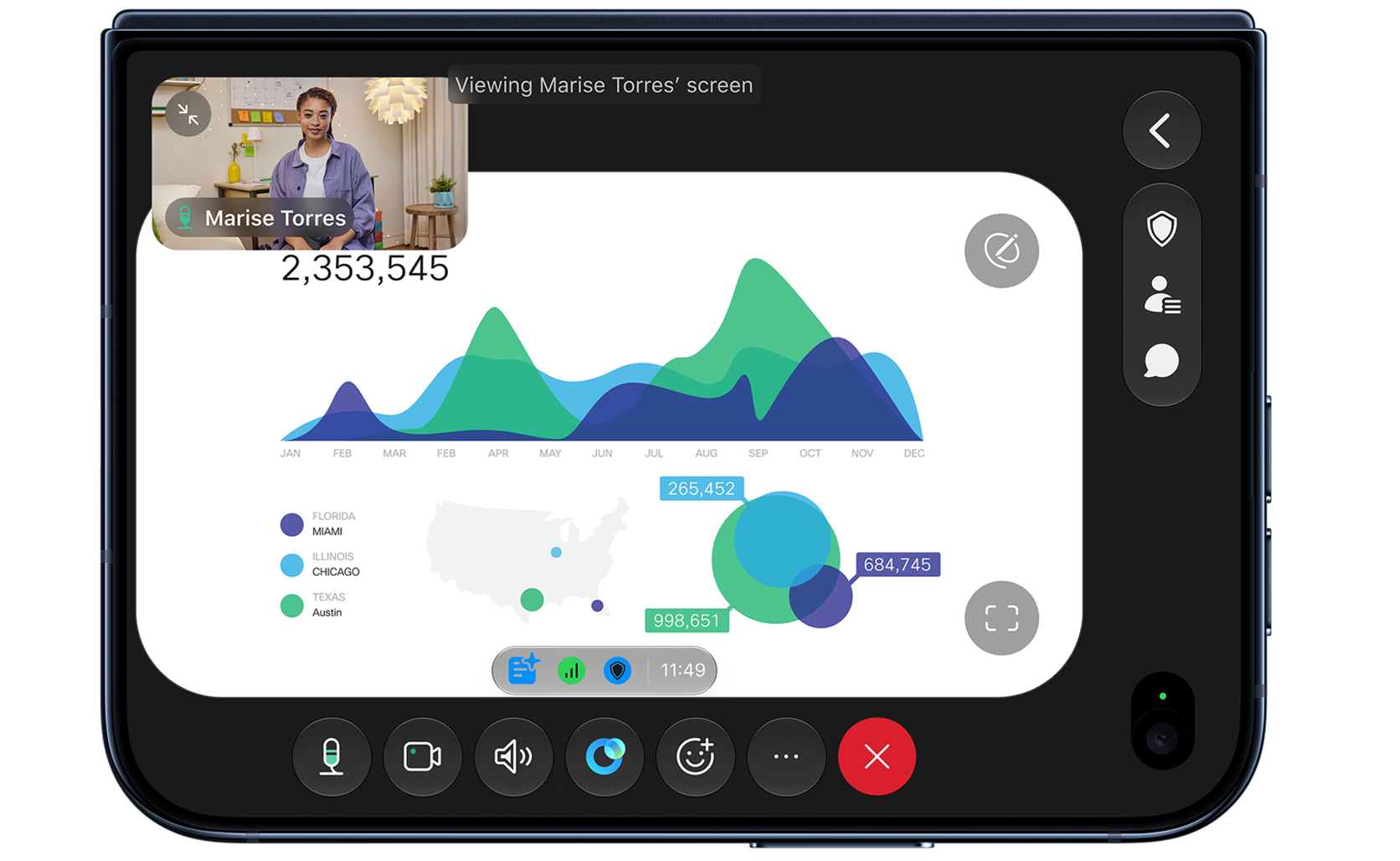
Whichever way you work, you can move naturally between meetings, messaging, calling, and whiteboarding, with AI Assistant helping along the way. The result is more flexibility in how you take part, with the focus staying on the conversation instead of the device. And with Webex’s video and audio quality, your conversations feel clear and connected.
Bring the Real World into the Conversation
Some conversations are easier when everyone can see what you see. With Webex Mobile Camera Share, you can share your iPhone camera during a meeting while iPhone Duo is propped open in a laptop-like position.
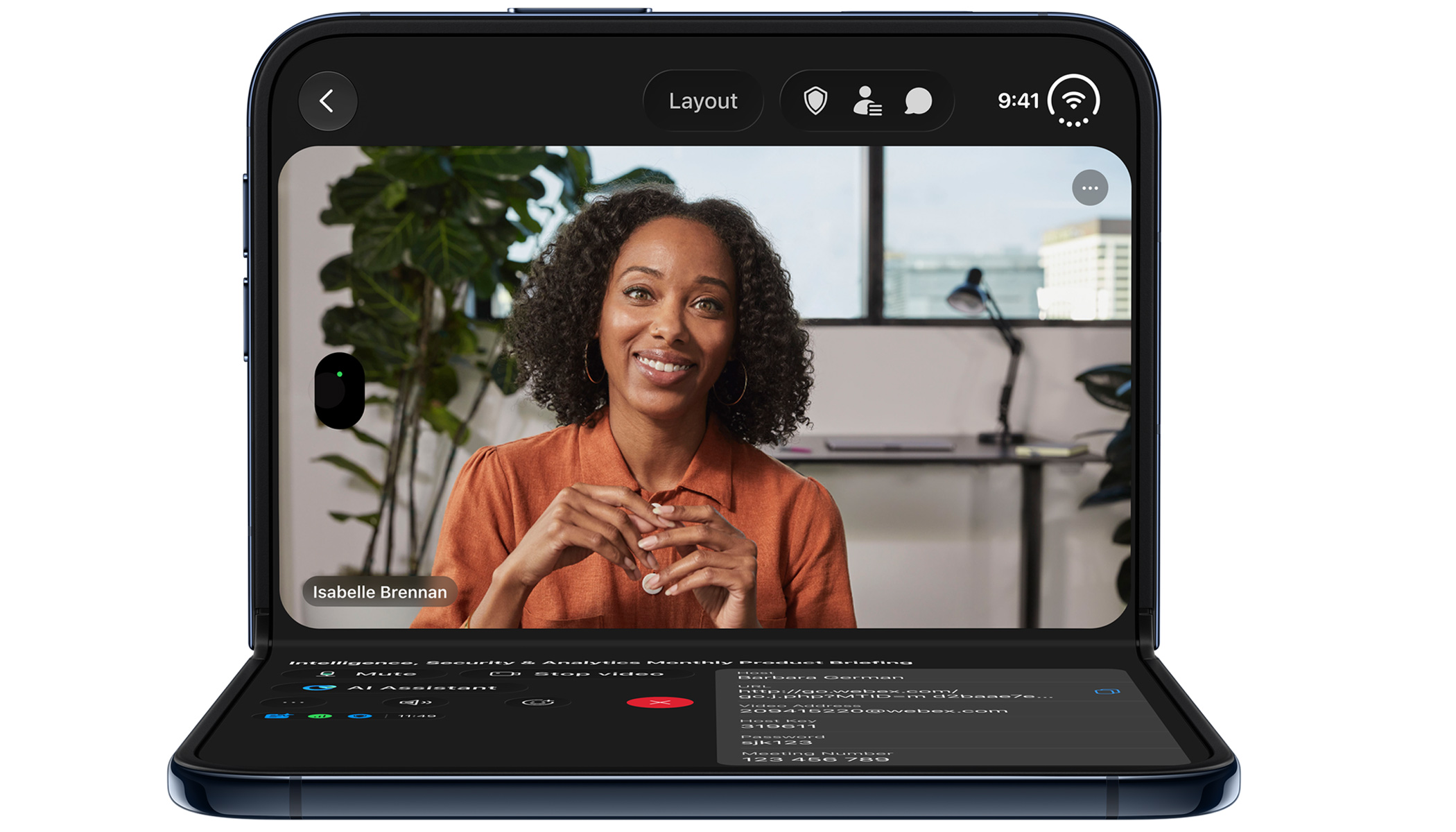
Whether you’re showing a product, walking through a setup, or working through a problem, remote participants can view the live camera feed and annotate it to guide the discussion. It’s one more way Webex helps people work together across distance, even when the work is hands-on.
Capture ideas with Webex Notetaker Agent
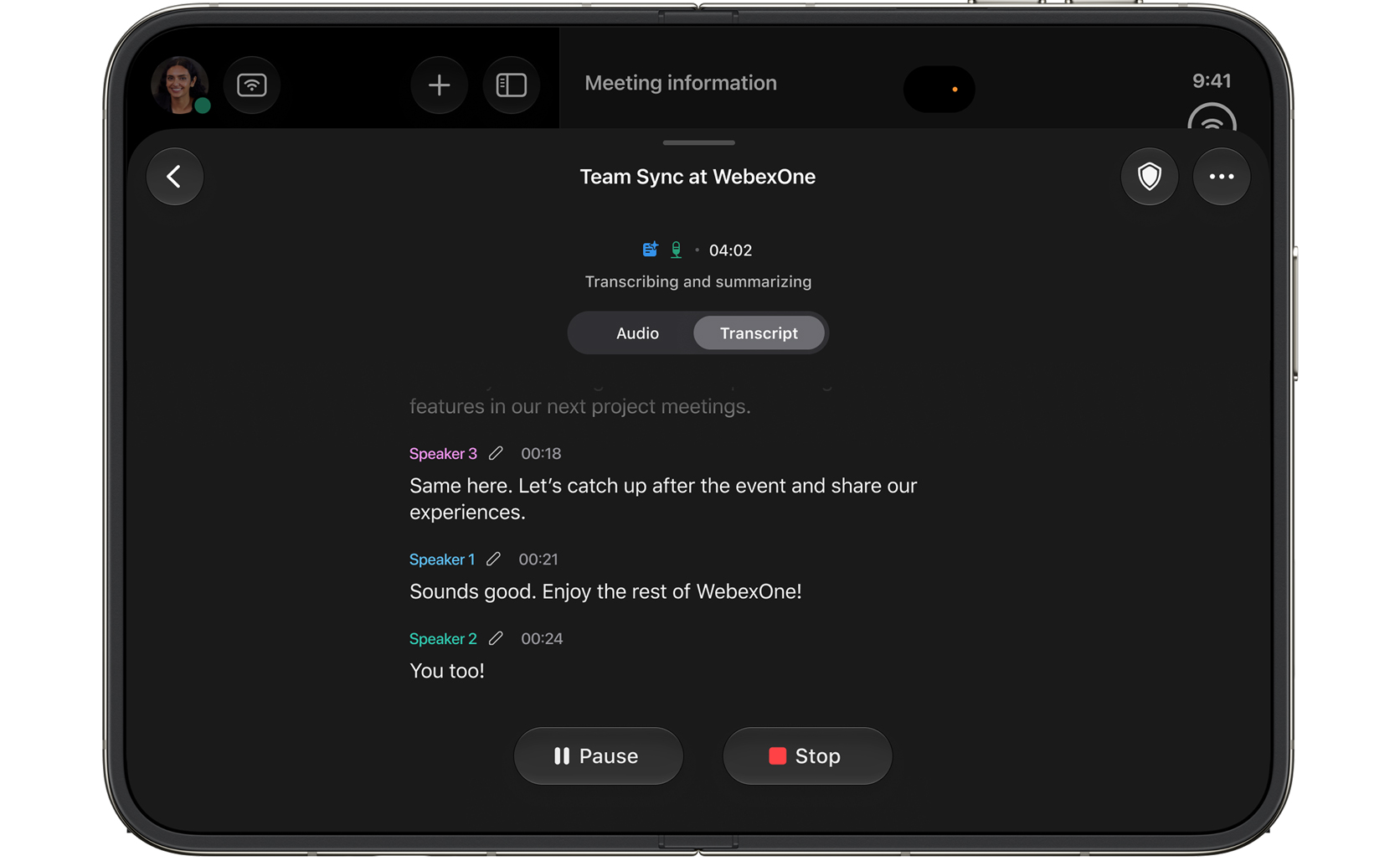
Webex Notetaker Agent, powered by Cisco AI Assistant, is now generally available on the Webex iPhone app. It can transcribe and summarize in-person conversations, generate action items, and help capture your own thoughts, so you can stay present in the moment and return to the details afterward.
AI Assistant that Works Alongside You
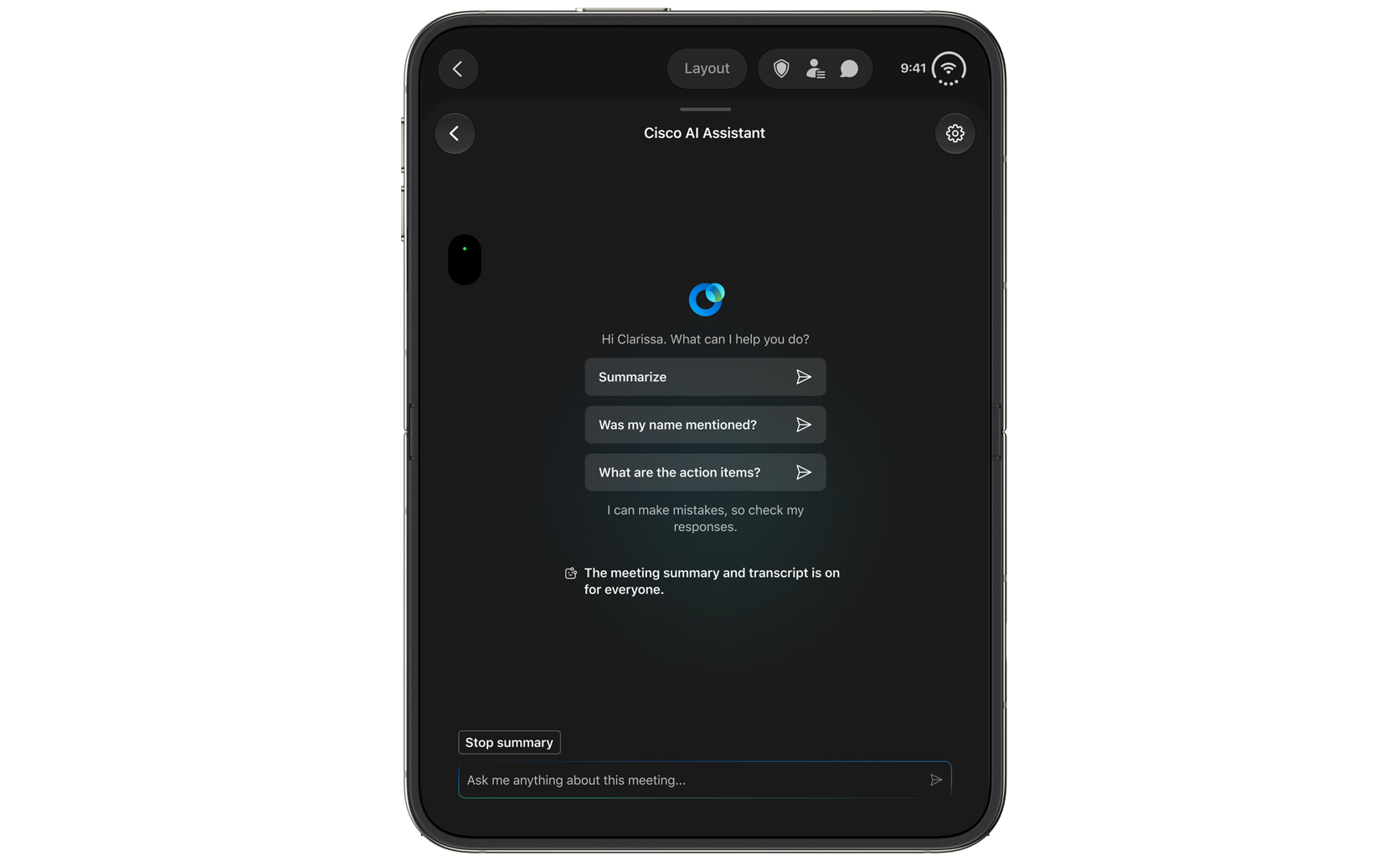
Cisco AI Assistant for Webex helps you get more done, wherever you work. You can summarize your conversations to catch up quickly, ask questions to find what you need, check on your action items, or rewrite your messages so they say exactly what you mean.
Better Together: A Partnership Built on Collaboration
Our work with Apple has always been grounded in a shared goal: to make collaboration feel natural on the devices people rely on. Bringing Webex to iPhone Duo on day one is a milestone for our teams.
About The Author