Digital interaction is at the heart of customer experience (CX) strategies – now, and for the foreseeable future.
The driving force behind the rise of digital interactions is the proliferation of new messaging channels, enabling consumers to interact with brands just as they would with a friend. It’s instant, convenient, and a channel they choose to engage through. The availability of these channels, advances in AI and automation provides a powerful opportunity to deliver the slick digital experiences that consumers expect today.
Digital interaction can be a double-edged sword
Embracing and increasing digital interaction will have favorable outcomes, but if not done right can lead to unfavorable consequences. What starts out as one or two CX applications that enable specific journeys will soon grow into hundreds. How can so many journeys that facilitate potentially millions of customer interactions every day be built and managed?
Enterprises will typically think they have two options. They can build each use case from scratch, either internally or outsource to a systems integrator, or develop customizations on top of an existing system like CRM.
Both approaches are far from ideal as each application can be siloed, implemented by custom code and result in duplicate integrations into the same systems. Ultimately, these approaches will lead to fragmentation and broken CX. They will be expensive, time-consuming, and involve overheads in managing infrastructure, scaling, and security, not just for the initial development but for managing the full application lifecycle.
Webex Connect – a centralized cloud communications (CPaaS) platform
Enterprises can benefit from a flexible and extensible platform that reduces complexity, enables rapid innovation, and simplifies the management of digital interactions at scale. A platform that can accommodate many types of use cases and reduce DevOps overheads, so you don’t have to worry about where you will deploy and how you scale your CX apps.
That’s exactly what Webex Connect offers.
Forward-thinking CPaaS for the forward-thinking enterprise
Just like the consumers our enterprise customers serve; their needs are always changing. We must continue to look to the future, enhancing Webex Connect with the latest channels and capabilities. At Webex One, we announced some exciting updates.
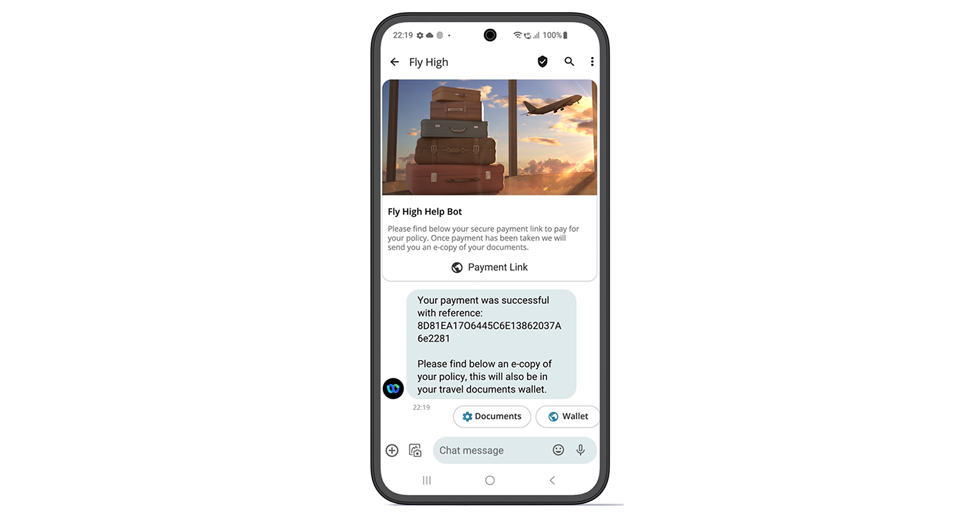
Our new integration with Sycurio enables companies to incorporate digital payments into customer journeys. With this integration, Webex Connect now enables support for more than 20 payment service providers covering over 180 countries.
Upcoming integrations with Epic and Cerner will unlock the potential of CPaaS for healthcare organizations that use these Electronic Health Record (EHR) systems, easily integrating digital interactions for automating patient interactions across a range of use cases such as appointment reminders and prescription refill notifications.
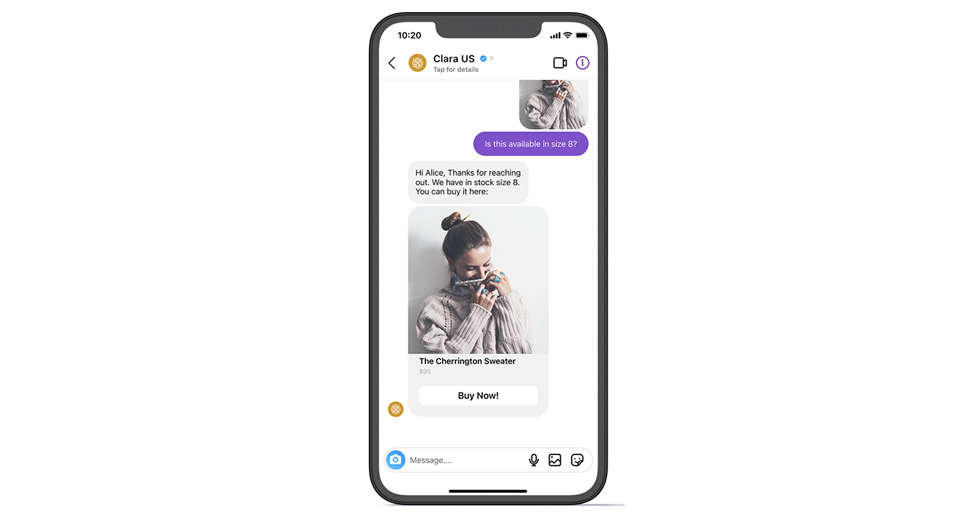
Just as important as new integrations it is essential that we provide a choice of channels to customers, so they deliver a true omnichannel experience to their end users. With the recent addition of Instagram, we now support 16 channels in Webex Connect. Supported by the Messaging API and visual flow builder, companies can automate conversational customer service and commerce journeys, manage interactions at scale, and enable live agent chat.
Enterprises must strive to protect customer data and adhere to regional regulations as they communicate across various channels and geographies. To simplify this challenge, we provide tools and security protocols within Webex Connect that help to ensure good data governance in line with IT policies and compliance. One of our latest tools, the Contact Policy application, centralizes the capture and management of customer consent and channel preferences. The application makes it easier for developers and operational teams to ensure communication only engages opted-in customers over their preferred channels.
Blending human and digital interaction
Even with the range of existing and new capabilities that can shape and define digital interactions, sometimes the human touch is required.
This is where the integration between Webex Connect and Webex Contact Center products enable a seamless handover from digital channels to an agent, keeping all the context of the interaction so a customer does not have to start all over again. Whether you want the conversation handed over to Webex Contact Center or Contact Center Enterprise, Webex Connect integrates with both solutions, seamlessly.
CX transformation is a journey not a big bang
What makes Webex Connect perfect for customers is the flexibility it provides, allowing each business to innovate and scale at their own pace.
Organizations can begin with priority use cases and then scale up, adding new digital channels and automating more customer journeys. As more CX applications are deployed, the centralized platform helps to manage them all from one single place.
To learn more about Webex Connect, you can access the latest CPaaS thought leadership on the Webex Connect homepage.
About The Author