Designing an AI assistant means designing for many different ways of working. As a design team, we consider a wide range of our user personas, including nurses in healthcare, operations teams, retail associates, financial services professionals, government workers, and more. But for this post, we’re zooming in on one persona in particular: sales.
Sales teams operate in fast-moving, context-heavy environments where timing, clarity, and follow-through matter. Our goal was to understand their biggest pain points, define the principles that would guide our product decisions, and translate those insights into a feature that felt practical, trustworthy, and genuinely useful in their day-to-day work.
The challenges today for sales representatives
For sales teams, the call is where the most important work happens. Relationships are built, needs are uncovered, and next steps are shaped in real time. But the work around the call often gets in the way: taking notes, updating CRM fields, writing follow-ups, and handing context to the next person.
The three pain points:
- Distractions during a call: Note-taking pulls attention away from the customer — you can’t be fully present while trying to capture what was said a few minutes ago.
- Losing context during handoff: Information disappears the moment the call ends, especially during handoffs between teammates.
- Fragmented post-call workflows: The post-call ritual of CRM updates and follow-up emails is a productivity killer that delays getting to the next conversation.
The data reality: Sales reps spend only 28% of their week actually selling. 25–30% of their time goes to administrative tasks. And only 20% of sales activity is ever logged in a CRM — the other 80% simply vanishes.
Salesforce Manual Reporting Problems: Why Sales Ops Teams Waste 15+ Hours/Week
How Cisco AI Assistant helps
- During the Call: AI Assistant captures notes, summarizes intent, identifies action items, and can surface relevant context in real time, helping reps stay focused on the customer instead of the mechanics of documentation.
- During Handoff: When a call is transferred, the next person receives an AI-generated brief with context from the previous conversation — no more “How can I help you again?”
- After the Call: Summaries and action items are ready for review and can be copied into CRM fields or used for follow-up, turning a time-consuming admin task into a faster, more focused review.
Together, these moments help reduce the work around the work, so sales teams can focus on building relationships, solving customer problems, and doing what they do best: selling.
Design principles that guided our product decisions
Rather than create a separate destination, we designed AI Assistant to support the calling workflow people already use.
Our design decisions were guided by a few principles:
1. Preserve user flow without removing control
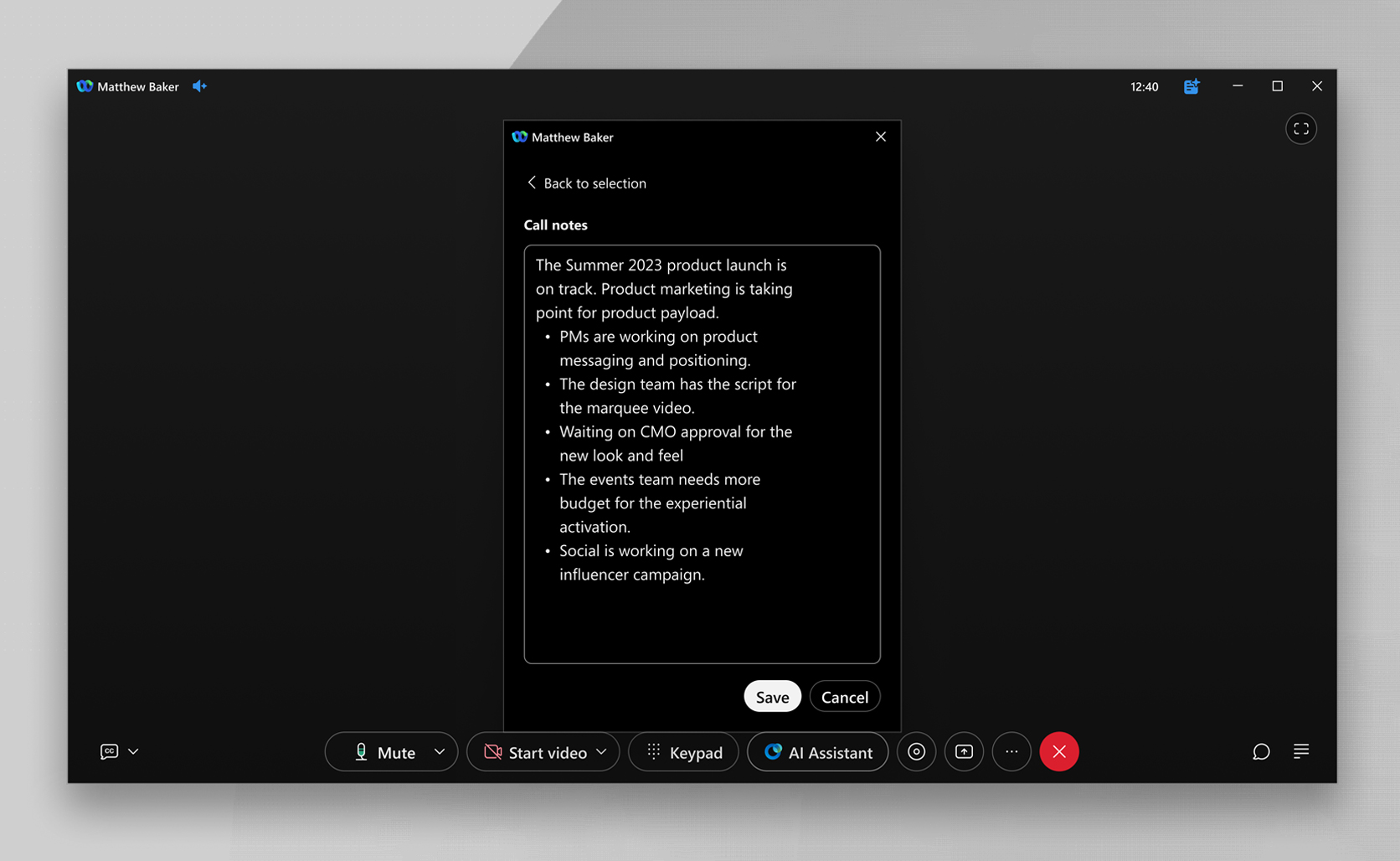
For call transfers, we wanted context to move with the conversation, but not in a way that felt automatic or invisible. Our goal was to avoid creating additional steps or adding friction — so rather than building something new, we designed AI summaries directly into the call transfer workflow users already know. We went back and forth on one key tension: how do you keep users moving fast without taking away their control over something as consequential as sending an AI-generated summary to the next person? We landed on adding a confirmation step before the transfer completes — just enough of a pause to keep the user in the driver’s seat — while also giving them the option to skip it entirely for future transfers.
2. Surface details where people already look
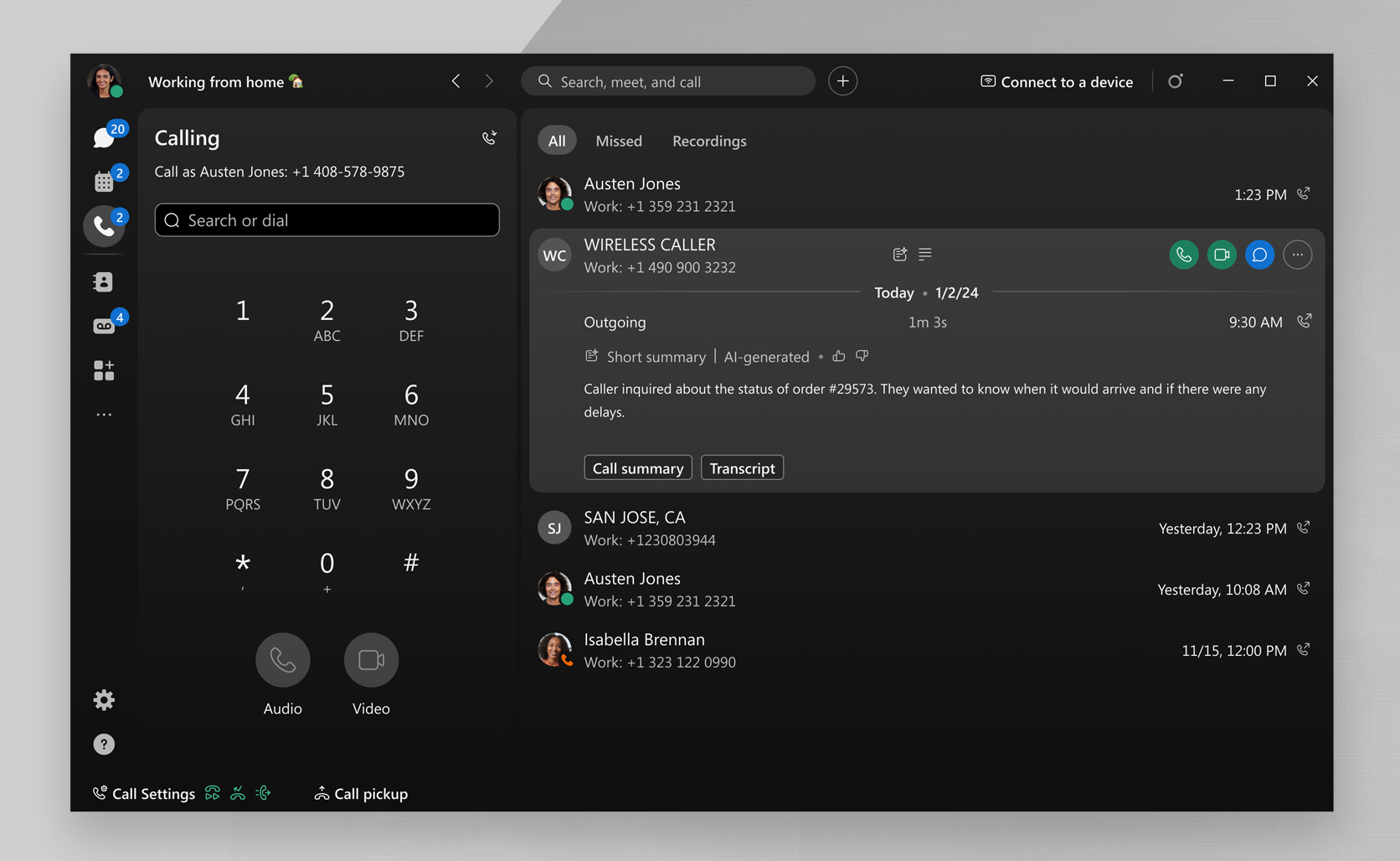
For post-call summaries, we chose to show concise summaries directly in the call record instead of hiding them behind a separate AI prompt. We considered making users ask AI Assistant for a summary, but that would have made discovery depend on remembering to ask. Because call summaries are most useful in context, we surfaced them where users already expect to review call details.
3. Give just enough context in high-pressure moments
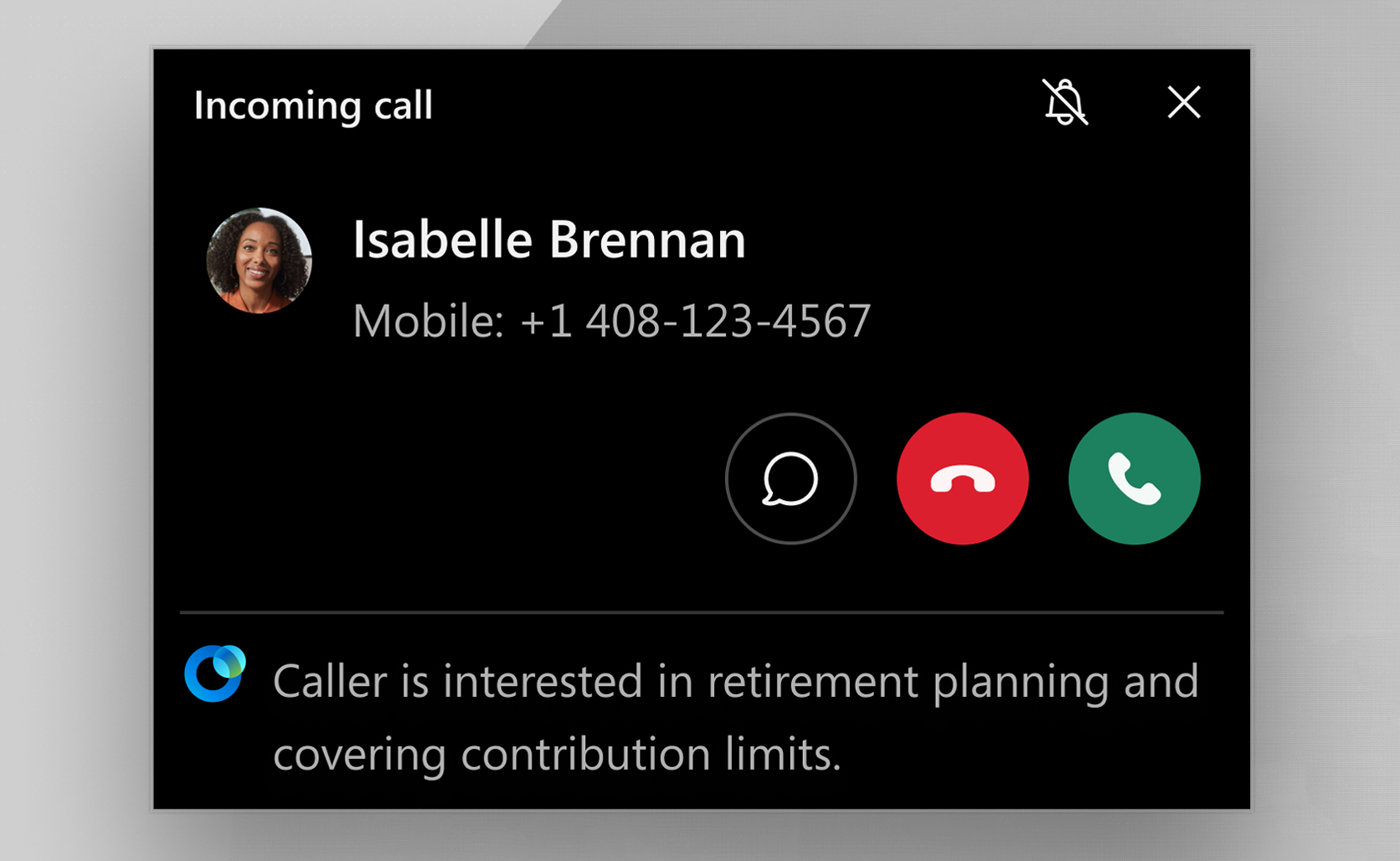
Incoming calls demand an immediate response, often while users are in the middle of something else. We had to balance a real design tension: show too much information and we overwhelm the user; show too little and we miss the opportunity to help. We landed on a concise caller intent summary that gives users just enough context to understand why someone is calling and shift gears with confidence.
4. Make scattered context actionable
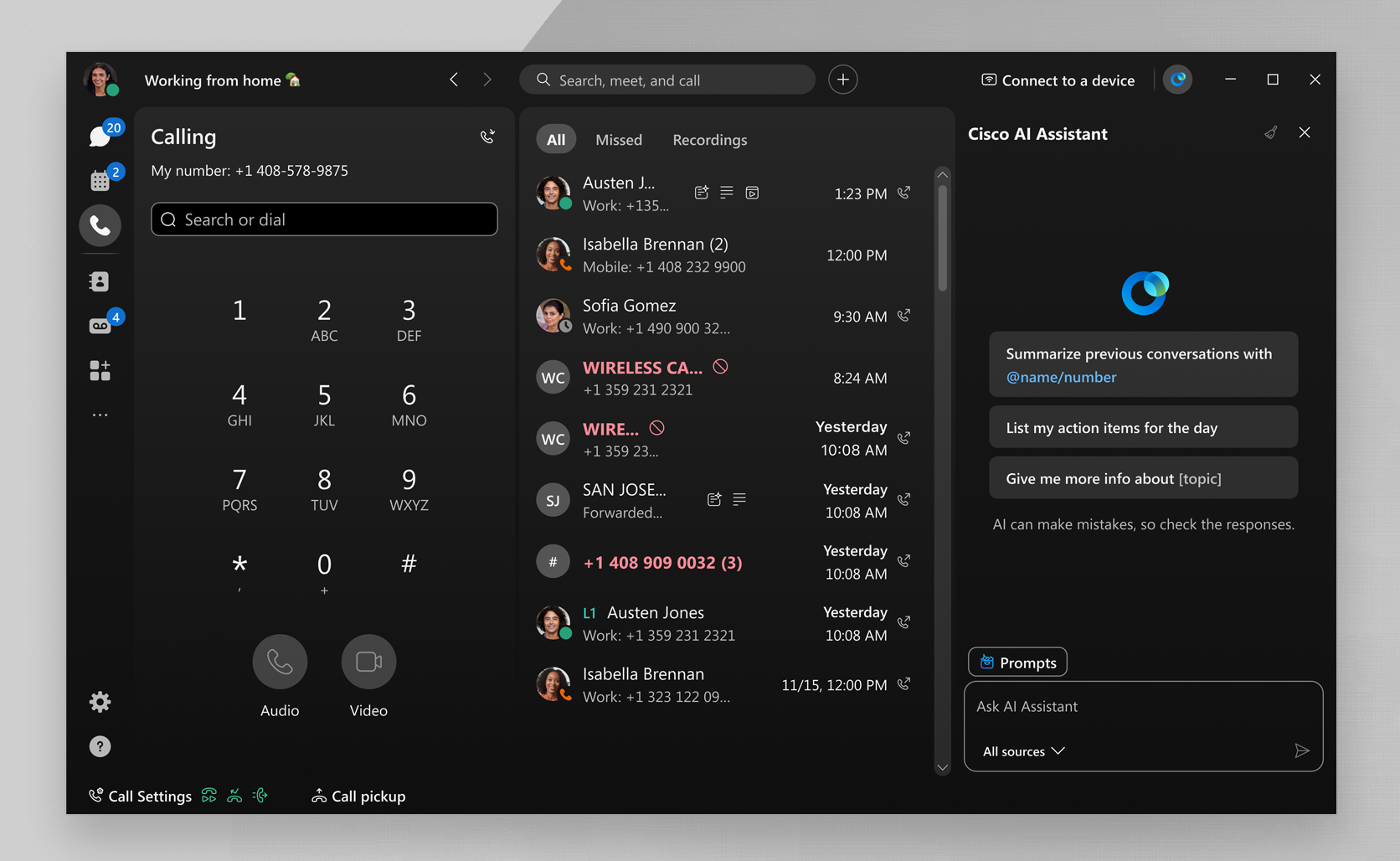
Sales workflows are often fragmented across tools, records, and knowledge sources. Instead of asking users to hunt for context, we designed AI Assistant to bring the most relevant information into the moment where it can help.
We kept the experience concise: key points appear in the Cisco AI Assistant panel, with access to the source material when users need to verify or go deeper. The goal was to help reps move from scattered information to confident action.
5. Earn trust through user agency
AI should make users feel like the pilot, not the passenger. Across the experience, we used review steps, confirmations, and clear calls to action so users understand what AI is doing and stay in control of what happens next. That sense of agency is what helps AI feel less like a black box and more like a trusted partner.
Getting back to the core of what we do
AI has the power to get us back to the core of what we do — and if done right, make us better at it. Whether it’s selling or building relationships, solving problems for customers or sharing helpful context for the next person, the agentic shift is helping us connect with others with more intention, and refocus on what matters most.
Designing for agentic experiences isn’t just about surfacing the right information or automating processes. It’s designing with people in mind — their goals, their challenges, and how design and AI together can meet them in a way that doesn’t just work, but sparks something they love.
About The Authors