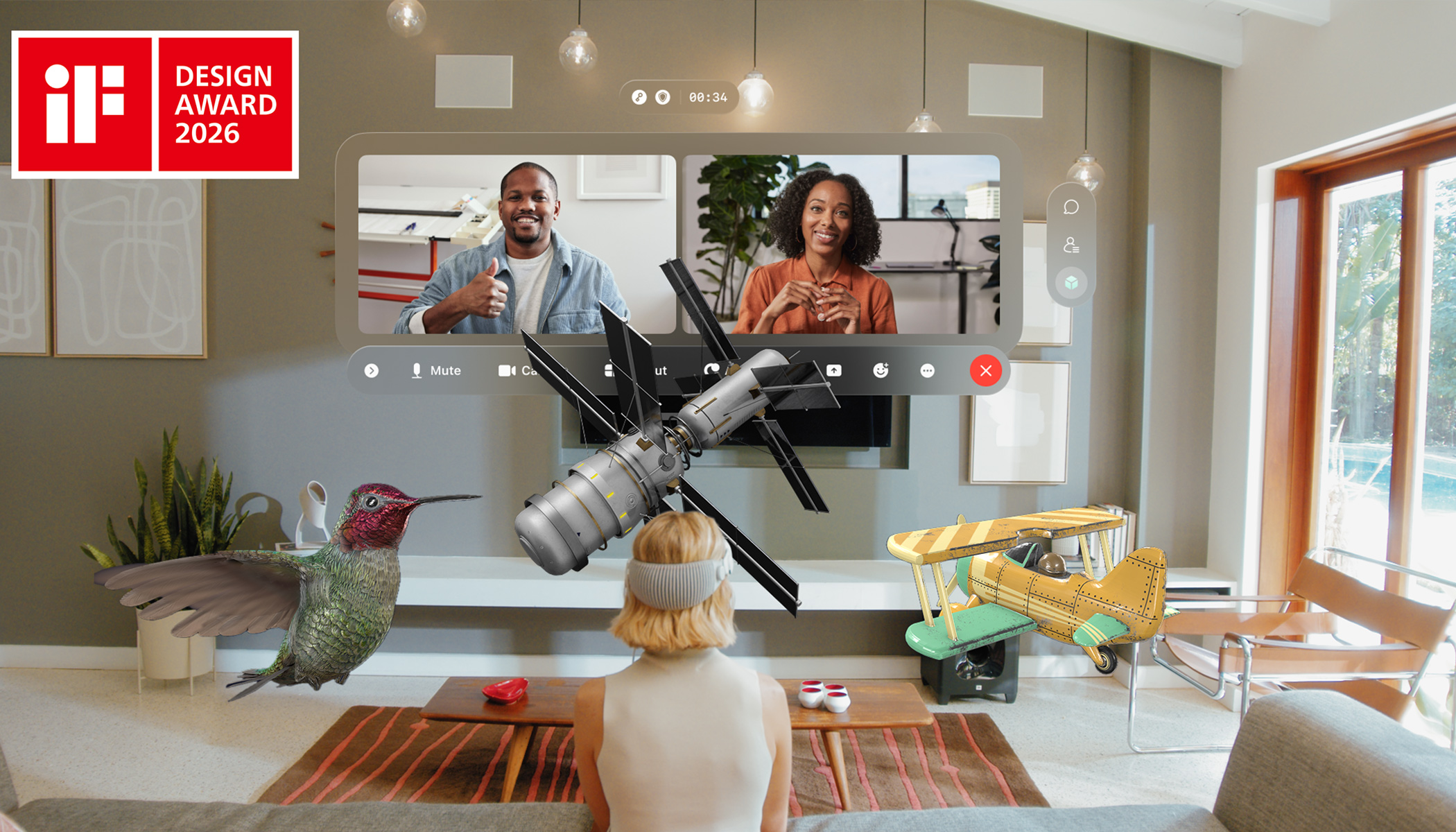
For decades, virtual meetings have lived inside a rectangle. No matter how advanced the technology became, collaboration was confined to grids, panels, and toolbars on a flat screen. With Webex for Apple Vision Pro, our team set out to reimagine that paradigm by designing for space instead of screens. Alongside designers Alex Brown and Shaun Steenson, we explored how spatial computing could make remote work feel like working together again. This human-centered approach not only reshaped how we think about presence and interaction. It also earned Webex for Apple Vision Pro the prestigious iF Design Award, recognizing our commitment to clarity, usability, and innovation in enterprise collaboration.
To achieve this, we first had to rethink the most fundamental assumption in collaboration design: the rectangle.
From Rectangles to Space
The biggest assumption we had to unlearn was designing for a frame. Traditional meeting experiences are optimized for rectangles — bounded windows with fixed edges, predictable hierarchies, and a single focal plane. In spatial computing, that boundary disappears. Instead of arranging pixels, we design for depth, distance, eye line, reach, and physical comfort.
This shift reframes the designer’s job. Attention is no longer purely visual; it becomes environmental. Where content sits in space, how far it is from the user, how it layers with other elements, and how it responds to movement all influence focus, comprehension, and fatigue. A window placed too close feels intrusive. Content too far away becomes disengaging. Overlapping layers can create cognitive friction instead of clarity.
Designing for space introduces a new set of problems to solve:
- Spatial hierarchy: What deserves to be foreground vs. peripheral?
- Ergonomics: How do we prevent neck strain, eye fatigue, and reach discomfort over long sessions?
- Depth management: When does layering add meaning versus confusion?
- Attention flow: How do users know where to look without forced cues?
- Environmental harmony: How do digital elements coexist with the physical room instead of fighting it?
- Recoverability: How can users quickly restore order when their workspace becomes cluttered?
Unlike 2D layouts, spatial environments are dynamic and user-controlled. People can walk around content, resize it, pin it to surfaces, or push it aside. This means designers cannot rely on fixed layouts to preserve clarity. We must create systems that remain legible and comfortable no matter how the space is rearranged.
Framing the problem this way allowed the subsequent design decisions to fall into place. If spatial computing removes the rectangle, the goal is not to fill the room — it is to make space usable, understandable, and calm.
Designing Calm in a Spatial Environment
Spatial interfaces can become chaotic quickly. Floating windows, layered depth, and motion can overwhelm users if not handled carefully. Our design approach prioritized clarity over spectacle, ensuring the environment supports focus rather than distraction.
We used neutral panels, subtle shadows, and natural depth cues so windows feel anchored instead of intrusive. Glass materials that react to the surrounding environment help UI elements feel like they belong in the room, rather than sitting on top of it.
To prevent cognitive overload, spatial complexity is introduced gradually. Users begin with a familiar windowed interface and can move toward a more immersive, windowless experience at their own pace. They retain full control over how much space they use and how their workspace is arranged. Features like pinning windows to surfaces and instantly hiding content allow users to restore order at any time.
Our guiding rule was simple: use space only when it adds clarity. Otherwise, keep it calm.
Managing and Interacting with 3D Models in Real Workflows
Once the spatial environment felt calm and legible, the next challenge was enabling meaningful interaction with 3D content. Designing for 3D content required balancing intuitive interaction with practical workflows. While spatial computing enables dramatic manipulation of models, usability depends on aligning with natural human behavior and existing work patterns.
Testing revealed that even though indirect gestures using eyes and hands are supported, people instinctively reached out to grab 3D models as they would in real life. To make interactions more intuitive, we supported both direct and indirect gestures and introduced custom one-handed gestures to improve speed and accessibility.
Eye tracking played a critical role. Without precise hover states and appropriately sized interaction targets, the experience becomes frustrating. We ensured the interface responds predictably to where users look, making model selection and manipulation feel reliable and natural.
We also aligned model sharing with real workflows. Early concepts assumed users would upload 3D models directly from the headset, but testing showed that most models live on desktop systems. We introduced seamless sharing from desktop into spatial meetings, ensuring hybrid teams can collaborate effectively. A shared 3D model in spatial computing must still render meaningfully in 2D so participants joining from laptops can understand and contribute.
By grounding 3D interaction in familiar behaviors and real-world workflows, spatial collaboration becomes practical, not experimental.
Recognized for Design Excellence
These design decisions were not made for novelty or awards. They were driven by a belief that collaboration technology should adapt to people, not the other way around. Still, it was an honor to see this work recognized with the iF Design Award, one of the world’s most respected design distinctions.
The award validates our focus on clarity, human-centered interaction, and thoughtful integration of spatial computing into real workflows. More importantly, it signals that enterprise collaboration can be both powerful and beautifully designed.
A New Era of Collaboration
Webex for Apple Vision Pro represents more than a new interface. It signals a shift in how we think about collaboration itself. By moving beyond the flat screen and designing for human behavior in space, we can restore presence, improve focus, and enable new forms of teamwork.
This work also reflects a broader commitment. Investing in spatial computing is not about chasing novelty. It is about reimagining collaboration so technology fades into the background and people can connect more naturally.
The future of meetings is not confined to a rectangle. It is all around us.
Learn more:
About The Author