Ever found yourself in a meeting where the conversation jumps between English, Spanish, and French sometimes in the same sentence? In today’s global workplace, this is becoming the norm, not the exception.
At Webex, we get it: the best ideas can come from anywhere and anyone. That’s why we’re passionate about making every meeting inclusive and easy, no matter what language you speak. Let’s talk about how Webex is making language support smarter, and more flexible.
More Than Just One Language:
We know the world doesn’t speak in just one language. That’s why Webex has built-in AI Assistant features that help everyone communicate and understand, effortlessly:
- Translation & Transcription: Hosting a meeting in French, Spanish, or any of 16 supported languages? Webex seamlessly converts spoken words into live captions, available in over 100 languages—no extra effort required.
- Post-Meeting Summaries in Your Language: Imagine leaving a meeting and instantly receiving a summary and action items, all translated to your preferred language. With Webex, you never have to worry about missing a key detail, even if the discussion switched languages.
- Message Translation in Spaces: A colleague sends a chat in German, but you only speak English? No problem—just click “Translate,” and the message appears in your language. You can even follow entire conversations in real-time, regardless of the original language.
- Full Platform Language Support: From the meeting room to your spaces, Webex supports a huge range of languages—including Arabic, Chinese, French, German, Italian, Japanese, Korean, Portuguese, Spanish, and many more. Some features even work with right-to-left languages like Hebrew and Arabic.
- Spotlight on Accessibility-The Interpreter Role: Beyond text and captions, Webex also empowers live interpretation—with a dedicated interpreter role that brings spoken and sign language accessibility directly into your meetings and webinars.
Introducing: Live Auto-Detection of Spoken Languages
Now for something we’re especially excited about. In the past, if you wanted Webex to transcribe or translate a meeting, the host had to pick the spoken language up front. But what happens when someone jumps from English to Spanish, or someone else chimes in with French? Suddenly, the transcription accuracy drops, and the host scrambles to update the settings mid-meeting. Not ideal.
That’s why we created Live Auto-Detection of Spoken Languages. It’s exactly what it sounds like: Webex listens and automatically figures out which language is being spoken. No more manual switching. No interruptions. Just smooth, multilingual conversations.
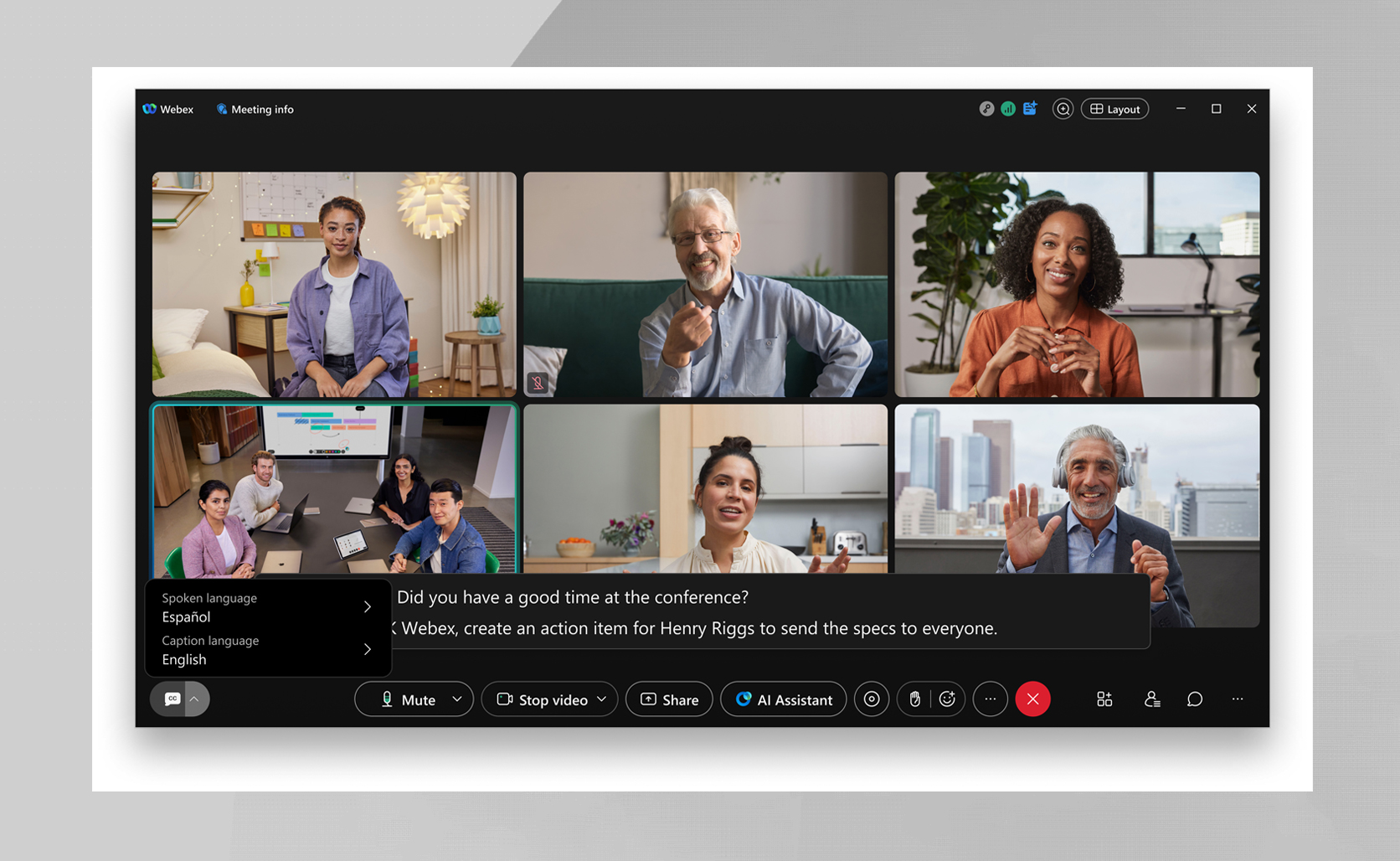
Here’s How It Works:
- Real-time: Webex identifies the spoken language within seconds.
- Automatic transcription and translation: As soon as it detects a switch, Webex updates the AI transcription engine and keeps captions accurate—no host action needed. The detection runs the whole time, so it keeps up as speakers change languages.
- One language at a time: To keep things crisp and clear, Webex detects and transcribes one spoken language at a time.
Picture this: you’re on a global strategy call. The host starts in English, a guest presents in French, and then the conversation shifts to Spanish. Webex’s Spoken language auto-detection keeps up with every switch—no pauses or setting changes.
What Does This Mean for You?
- Stay focused on what matters: No need to adjust language settings mid-meeting—just seamless, productive conversations from start to finish.
- Transcripts you can trust: Whether your team switches between two or five languages, captions remain accurate and inclusive for everyone involved.
- Full-meeting coverage: Live auto-detection works continuously throughout your meeting, adapting instantly as speakers and languages change.
- Smarter meeting summaries: With AI-powered insights, every language spoken is included in your meeting recap, so nothing gets overlooked or lost in translation.
- You’re always in the driver’s seat: Whenever Webex detects a language switch, languages are automatically updated—and if you prefer, you can easily reverse the change with a single click.
Ready to try it?
Live Auto-Detection of Spoken Languages supports 16 major spoken languages, lets you translate into over 100 caption languages, and keeps you in the loop with notifications and control features.
Want to know more? Check out Auto-detection of spoken language, or reach out to your Cisco representative for a personalized demo.
With Webex, the world is your meeting room—no matter what language you bring to the table.
Note: Some translation features require a Real-time Translation license. Language availability varies by service—visit the Webex Help Center for details.
About The Author